Modern commercial environments depend on reliable network and security infrastructure to support daily operations. From point-of-sale (POS) systems and wireless access points to CCTV cameras, network switches, and video recording equipment, these technologies require more than network connectivity. They also depend on stable, properly distributed electrical power.
As organizations expand their technology infrastructure across multiple facilities, power requirements become an increasingly important part of installation planning. Insufficient electrical capacity, inadequate backup power, improper grounding, or poorly planned equipment distribution can lead to intermittent connectivity, equipment failures, and unexpected downtime.
These challenges are particularly important in retail and commercial environments where network availability supports transactions, communications, security monitoring, and other essential business functions.
Understanding the power requirements of modern network and security systems helps organizations plan reliable infrastructure, protect critical equipment, and minimize disruptions across their facilities.
Why Power Planning Matters for Network and Security Systems
Network and security equipment requires consistent electrical power to operate as intended. Even when network cabling and equipment are installed correctly, inadequate power infrastructure can affect overall system reliability.
Proper power planning helps organizations address several important considerations.
1. Maintain Reliable Network Connectivity
Network switches, routers, wireless access points, and other connected devices require stable power to maintain communication.
Power interruptions or voltage irregularities can cause equipment resets, interrupted connections, and network downtime.
Proper electrical planning helps ensure that network equipment receives the power it needs to support continuous operation.
2. Support Security System Availability
CCTV cameras, network video recorders (NVRs), and supporting network equipment depend on reliable power to maintain surveillance coverage.
An interruption affecting a camera, network switch, or recording device can create gaps in monitoring.
Understanding the power requirements of each component helps organizations identify critical equipment and establish appropriate backup solutions.
3. Protect Equipment From Electrical Issues
Electrical disturbances, including surges, voltage fluctuations, and improper grounding, can damage sensitive electronic equipment.
Appropriate circuit protection, grounding, bonding, and surge protection help reduce electrical risks and support equipment longevity.
4. Accommodate Additional Technology
Commercial facilities frequently expand their technology infrastructure as operational requirements change.
Additional cameras, wireless access points, POS terminals, and network switches increase overall power demand.
Planning for future capacity helps organizations accommodate new equipment without repeatedly modifying existing electrical infrastructure.
5. Reduce Operational Disruptions
Power-related failures can affect multiple connected systems simultaneously, particularly when several devices depend on the same network switch or electrical circuit.
A coordinated approach to power distribution, equipment placement, and backup power helps reduce the likelihood and impact of disruptions.
Understanding the Power Requirements of Network and Security Equipment
Different network and security devices have different power requirements. Some connect directly to standard electrical outlets, while others receive power through network cabling using Power over Ethernet (PoE).
Understanding these differences is essential when designing commercial network infrastructure.
Common Network and Security Equipment
The following table outlines common equipment and its typical power considerations.
| Equipment | Power Source | Key Power Consideration |
| Network switches | AC power or PoE, depending on model | Total device load and available PoE budget |
| Routers | AC power through an adapter or power supply | Continuous power availability |
| Wireless access points | Commonly PoE or manufacturer-approved power adapters | PoE compatibility and power requirements |
| CCTV cameras | PoE, DC power, or other manufacturer-specified supply | Camera features and operating conditions |
| Network video recorders (NVRs) | AC power | Recorder load, connected drives, and backup requirements |
| POS terminals | AC power or manufacturer-specified adapters | Reliable power for transaction equipment |
| Digital menu boards | AC power | Display wattage and installation requirements |
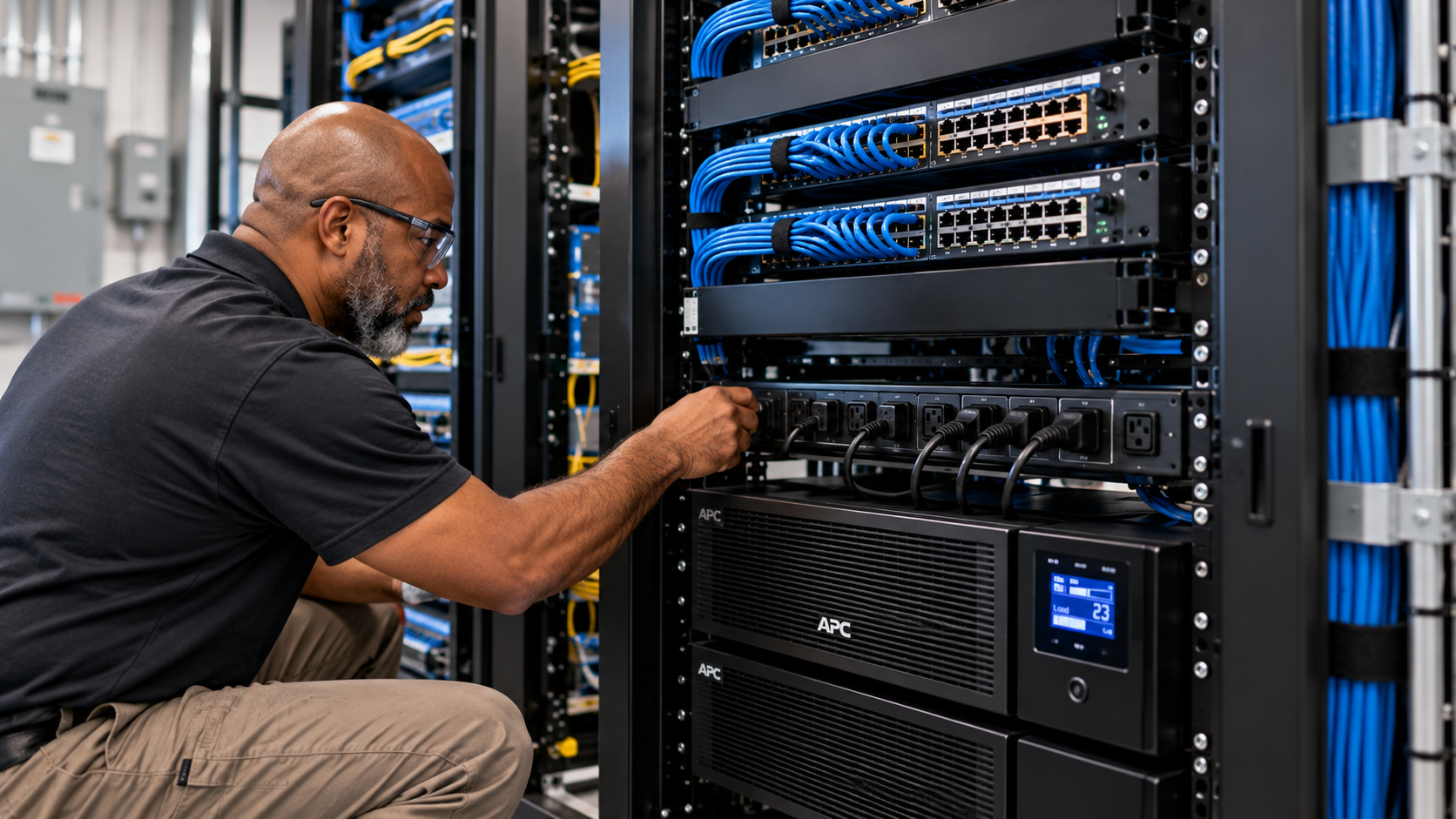
| Network racks and supporting equipment | AC power through rack power distribution | Combined equipment load and circuit capacity |
Actual power requirements vary by manufacturer, model, configuration, and operating conditions. Always consult equipment specifications before determining circuit capacity, power supply requirements, or backup runtime.
AC Power and Low-Voltage Power Distribution
Commercial network infrastructure commonly uses two forms of power delivery.
Alternating Current (AC) Power
AC power supplies many network devices through standard electrical outlets, power adapters, or rack-mounted power distribution units.
Examples include:
-
Network switches and routers.
-
Network video recorders.
-
Server and storage equipment.
-
Display systems.
-
Network racks and supporting equipment.
The electrical requirements depend on equipment specifications, total connected load, and installation conditions.
Low-Voltage DC Power
Some network and security devices operate using direct current (DC) power supplied through dedicated adapters or Power over Ethernet.
Examples include:
-
Wireless access points.
-
Certain CCTV cameras.
-
Network-connected peripherals.
-
Other compatible commercial technology devices.
The correct voltage, current, polarity, and connector requirements must match the manufacturer’s specifications.
Using an incompatible power supply can damage equipment or prevent it from operating correctly.
Power over Ethernet (PoE): Simplifying Network Device Installation
Power over Ethernet (PoE) allows compatible network devices to receive both electrical power and data through a single Ethernet cable.
This technology simplifies installations by reducing the need for separate electrical connections at every device location.
PoE is commonly used for wireless access points, IP cameras, and other network-connected equipment.
How PoE Works
A PoE-enabled network switch or an appropriate PoE injector supplies electrical power through compatible Ethernet cabling to a connected powered device.
The same cable carries network data and electrical power.
This arrangement can simplify infrastructure planning, reduce cabling requirements, and provide greater flexibility when installing devices in ceilings, hallways, and other locations where electrical outlets may be inconvenient.
Common PoE Standards
Different PoE standards provide different power levels.
| PoE Standard | IEEE Standard | Maximum Power at Power Source | Typical Applications |
| PoE | 802.3af | 15.4 W | Basic IP cameras and compatible access points |
| PoE+ | 802.3at | 30 W | Higher-power access points and compatible cameras |
| PoE++ Type 3 | 802.3bt | 60 W | Higher-power network devices |
| PoE++ Type 4 | 802.3bt | 90 W | High-power access points and specialized equipment |
These figures represent maximum power available at the power sourcing equipment. The power delivered to the connected device is lower because of cable losses.
Actual requirements depend on the device’s specifications and the available power budget of the switch or injector.
Best Practices for PoE Installation
Proper PoE planning helps ensure that connected equipment receives sufficient power.
Consider the following practices:
-
Verify device compatibility: Confirm that switches, injectors, and connected devices support compatible PoE standards.
-
Calculate the total power budget: Add the power requirements of all connected devices and compare the total against the switch’s available PoE capacity.
-
Account for cable limitations: Use appropriate Ethernet cabling and observe applicable channel-length and installation requirements.
-
Consider future expansion: Allow sufficient capacity for additional cameras, wireless access points, or other devices.
-
Monitor power consumption: Review switch power utilization to identify potential capacity constraints.
For larger commercial deployments, PoE power budgeting should be included in the initial network infrastructure design rather than addressed after equipment installation.
Planning Electrical Capacity for Network Infrastructure
Before deploying network and security equipment, organizations should evaluate whether the existing electrical infrastructure can support the additional load.
This is particularly important when installing multiple network racks, CCTV systems, wireless access points, and other connected equipment within the same facility.
Calculate the Total Equipment Load
Start by identifying all equipment that will receive power from the planned electrical circuits or rack power distribution units.
The equipment inventory should include:
-
Network switches and routers.
-
Wireless network equipment.
-
CCTV cameras and recording systems.
-
Servers and storage devices.
-
Rack-mounted equipment.
-
Supporting power supplies and accessories.
Review each manufacturer’s rated power consumption and input requirements.
For AC equipment, the approximate current draw can be calculated using:
Current (Amperes) = Power (Watts) ÷ Voltage (Volts)
For example, equipment consuming 600 watts on a 120-volt supply draws approximately 5 amperes under those conditions.
This is a simplified calculation. Actual circuit loading must account for factors such as power factor, continuous loads, applicable electrical codes, and equipment specifications.
Evaluate Circuit Capacity
Once the estimated load is established, determine whether the existing electrical circuits can support the equipment.
Important considerations include:
-
Available circuit capacity.
-
Existing connected loads.
-
Equipment startup and operating requirements.
-
Continuous-load requirements.
-
Circuit protection and distribution.
-
Potential future equipment additions.
Avoid assuming that an available outlet indicates sufficient electrical capacity. The circuit may already support other equipment or have limitations that are not immediately visible.
Qualified electrical personnel should evaluate circuit capacity and determine whether additional circuits or electrical modifications are necessary.
Consider Dedicated Circuits Where Appropriate
Critical network equipment may benefit from dedicated electrical circuits, depending on the equipment load, operational requirements, and facility design.
Dedicated circuits can help isolate important equipment from unrelated electrical loads and simplify power distribution planning.
However, not every network device requires a separate circuit. Circuit allocation should be based on actual load calculations, manufacturer requirements, and applicable electrical codes.
UPS Backup Power for Network and Security Systems
Uninterruptible Power Supply (UPS) systems provide temporary backup power when normal electrical supply is interrupted.
For commercial network infrastructure, UPS protection can help keep critical equipment operating during brief power outages and provide time for an orderly shutdown or transition to another power source.
Why UPS Systems Matter
Without backup power, network equipment may immediately shut down when electrical supply is lost.
Depending on the facility, this can affect:
-
Network connectivity.
-
Wireless access points.
-
CCTV cameras.
-
Network video recorders.
-
POS network infrastructure.
-
Other connected commercial systems.
A properly selected UPS helps reduce the impact of these interruptions.
Types of UPS Systems
Different UPS configurations offer different levels of protection.
| UPS Type | How It Works | Common Application |
| Standby UPS | Switches to battery power when utility power fails | Basic network equipment and non-critical devices |
| Line-Interactive UPS | Provides voltage regulation and battery backup | Small and medium network installations |
| Online Double-Conversion UPS | Continuously supplies conditioned power through its conversion process | Critical network infrastructure and sensitive equipment |
The appropriate UPS depends on equipment sensitivity, electrical conditions, operational requirements, and budget.
How to Size a UPS for Network Equipment
UPS selection should account for both the electrical load and the required backup runtime.
Key considerations include:
1. Total Connected Load
Calculate the combined power consumption of the equipment that needs backup.
2. UPS Wattage and VA Rating
UPS units are rated in volt-amperes (VA) and watts (W). Both ratings matter when matching a UPS to connected equipment.
The UPS must support the actual load without exceeding either rating.
3. Required Runtime
Determine how long the equipment must remain operational during a power interruption.
Some facilities may only need enough time for a controlled shutdown, while others may require longer backup operation.
4. Battery Capacity and Condition
Battery capacity, age, temperature, and connected load affect available runtime.
5. Future Expansion
Consider whether additional network equipment may be added later.
A UPS should be selected using manufacturer runtime charts or sizing tools rather than relying solely on its advertised VA rating.
Best Practices for UPS Installation
-
Prioritize critical network switches, routers, and recording equipment.
-
Avoid connecting equipment beyond the UPS’s rated capacity.
-
Follow manufacturer recommendations for installation and ventilation.
-
Establish a battery inspection and replacement schedule.
-
Test backup operation periodically.
-
Monitor UPS alerts and battery health.
-
Document which devices are connected to each UPS.
For larger installations, UPS placement and power distribution should be coordinated with the overall network rack design.
Grounding, Bonding, and Surge Protection
Proper grounding and bonding are important elements of commercial network infrastructure.
They help establish appropriate electrical reference paths and support the protection of equipment and personnel.
Surge protection also helps reduce the risk of damage caused by transient voltage events.
Grounding and Bonding
Grounding and bonding requirements depend on the facility’s electrical design, equipment, and applicable codes.
Network infrastructure planning should account for:
-
Telecommunications bonding and grounding requirements.
-
Properly installed equipment grounding conductors.
-
Bonding of applicable racks and cabinets.
-
Coordination with the building’s grounding system.
-
Manufacturer requirements for connected equipment.
Improper grounding can contribute to electrical hazards, equipment damage, and system reliability issues.
Surge Protection
Electrical surges may originate from lightning-related events, utility switching, or other electrical disturbances.
Surge protection devices can help limit transient overvoltages reaching connected equipment.
Consider appropriate protection for:
-
Network equipment power supplies.
-
Network racks and critical electrical distribution.
-
CCTV equipment and supporting power supplies.
-
Outdoor-connected infrastructure where applicable.
Surge protection should be selected and installed according to the equipment requirements and applicable electrical codes.
Grounding, bonding, and surge protection should be evaluated together rather than treated as separate installation details.
Power Considerations for CCTV and Security Systems
CCTV installations introduce additional power planning requirements because camera systems may operate continuously and depend on several connected components.
A typical IP-based surveillance system may include cameras, PoE switches, network video recorders, storage devices, and monitoring equipment.
Each component contributes to the overall power demand.
Camera Power Requirements
Different camera types have different power consumption characteristics.
For example:
-
Standard fixed cameras may have relatively modest power requirements.
-
Infrared cameras may consume additional power when night-vision illumination is active.
-
Pan-tilt-zoom (PTZ) cameras may require higher power for motorized movement and additional features.
-
Outdoor cameras may require additional power for heaters or other environmental features, depending on the model.
Always verify the manufacturer’s maximum power requirements rather than sizing the infrastructure based only on typical operating consumption.
Centralized vs. Localized Power Distribution
CCTV installations may use centralized or localized power arrangements.
| Power Distribution Method | Description | Consideration |
| PoE through network switches | Cameras receive power through Ethernet cabling | Simplifies installation and centralizes power management |
| Centralized power supply | Multiple devices receive power from a shared supply | Requires appropriate distribution and load planning |
| Local power supply | Individual devices use dedicated power sources | Requires power availability near each device |
PoE is commonly used for IP-based CCTV deployments because it simplifies cabling and allows compatible cameras to receive power through network switches.
For additional context, see our article on network infrastructure for CCTV systems.
Maintain Continuous Surveillance Availability
For security systems, power planning should account for the entire surveillance chain.
Keeping cameras powered is not sufficient if the network switch or recording equipment loses power.
A complete backup strategy should consider:
-
Camera power sources.
-
PoE switch capacity.
-
Network connectivity.
-
NVR power requirements.
-
Storage equipment.
-
Monitoring and management systems.
Protecting these components together helps maintain more consistent surveillance coverage during power interruptions.
Power Planning for Wireless Networks and Access Points
Wireless networks also depend on properly planned power infrastructure.
Wireless access points require consistent power to provide coverage and maintain connections with network clients.
Many commercial access points use PoE, allowing them to receive power through their Ethernet connections.
Key Power Considerations
When planning wireless infrastructure, consider:
-
Access point power requirements.
-
Compatible PoE switch standards.
-
Total PoE budget across all access points.
-
Network switch placement.
-
Cable length and installation conditions.
-
Backup power for critical wireless equipment.
-
Future access point additions.
High-density wireless environments may require multiple access points operating simultaneously.
The combined power demand should be evaluated before selecting network switches and power distribution equipment.
A Wi-Fi site survey helps determine access point placement and coverage requirements, which can also inform cable routing and power planning.
For additional guidance, read what makes a commercial wireless network reliable.
Common Power Planning Mistakes to Avoid
Power-related problems often originate during the planning and installation stages.
The following table summarizes common mistakes, their potential impact, and recommended practices.
| Common Mistake | Potential Impact | Recommended Practice |
| Underestimating equipment load | Circuit overloads or insufficient power capacity | Calculate total equipment demand before installation |
| Exceeding PoE power budgets | Connected devices may fail to power on or operate reliably | Verify total device demand against available switch capacity |
| Undersizing UPS systems | Insufficient backup runtime during outages | Match UPS wattage, VA rating, and runtime to actual loads |
| Ignoring grounding requirements | Electrical hazards and equipment protection issues | Follow applicable grounding and bonding requirements |
| Overlooking surge protection | Increased exposure to transient voltage damage | Evaluate appropriate surge protection |
| Failing to plan for expansion | Additional equipment may require costly electrical modifications | Include reasonable capacity for future requirements |
| Inadequate power documentation | Difficult troubleshooting and maintenance | Maintain circuit, rack, and equipment power records |
| Neglecting battery maintenance | Reduced backup performance or unexpected UPS failure | Inspect and replace batteries according to manufacturer guidance |
Addressing these issues early helps organizations avoid unnecessary downtime, equipment replacement, and installation rework.
How to Plan Power Requirements for Multi-Site Technology Deployments
For organizations operating multiple commercial locations, power planning becomes more complex.
Different facilities may have different electrical capacities, building layouts, equipment configurations, and installation constraints.
A standardized approach helps maintain consistency while accounting for individual site conditions.
Establish Standard Equipment Specifications
Define approved equipment models, power requirements, and installation configurations wherever practical.
Standardization makes it easier to calculate power demand, select compatible network switches, and plan backup power across locations.
Conduct Site Assessments
Evaluate existing electrical infrastructure, network rooms, available circuits, and equipment locations before deployment.
Document differences between facilities and identify any conditions that require additional electrical work.
Coordinate Technology and Electrical Requirements
Network installation teams and qualified electrical personnel should coordinate power distribution requirements before equipment is installed.
This helps ensure that circuits, outlets, rack power, and supporting infrastructure are ready when technicians arrive.
Standardize Power and Installation Documentation
Maintain consistent records of:
-
Equipment models and power specifications.
-
Circuit assignments.
-
Network rack configurations.
-
UPS models and connected loads.
-
PoE switch capacity.
-
Grounding and bonding information.
-
Testing and commissioning results.
Centralized documentation helps project teams identify differences between locations and maintain consistent deployment standards.
Include Power Verification in Quality Assurance
Power verification should be included in the overall installation and closeout process.
Before turnover, confirm that installed equipment receives the required power, backup systems operate as intended, and all applicable installation checks have been completed.
This is particularly important for large-scale network, POS, and CCTV deployments.
How Prime-Net Supports Commercial Network and Security Infrastructure
Prime-Net is the technology deployment division of Prime Retail Services, Inc., focused on nationwide technology deployment and installation for multi-site retail and commercial environments.
Our capabilities include:
-
Point-of-Sale Installation: Deployment of POS systems, peripherals, and supporting infrastructure across single- and multi-site rollouts.
-
Wireless Networks: Site surveys, access point installation, structured cabling, and hardware deployment for reliable connectivity.
-
Network Infrastructure: Rack and stack, structured cabling, and hardware integration supporting operational systems.
-
CCTV Installation: Camera system installation, cabling, and monitoring infrastructure deployment.
-
Project Staffing: Scalable field resources and project management support to extend client team capacity and execute deployments efficiently.
-
Digital Menu Boards: Digital menu board rollouts and installations supporting multi-site QSR deployments.
Our execution model combines centralized project management, a dedicated trained W-2 technician workforce, nationwide deployment capabilities, standardized execution processes, and structured quality assurance and closeout.
For projects involving network and security infrastructure, coordination between technology installation requirements and building electrical systems is particularly important.
Our approach emphasizes site assessment, installation coordination, verification, and documented turnover to support consistent execution across locations.
For more information about the relationship between electrical systems and network performance, read how electrical infrastructure affects network performance.
Whether supporting a single commercial facility or a nationwide deployment program, Prime-Net helps organizations coordinate the technology installation resources and infrastructure needed to support their operations.
Frequently Asked Questions
What are the power requirements for network infrastructure?
Network infrastructure power requirements depend on the equipment being installed. Switches, routers, wireless access points, servers, and other devices have different electrical requirements. Proper planning should account for total equipment load, power distribution, and backup power needs.
What is Power over Ethernet (PoE)?
Power over Ethernet is a technology that allows compatible network devices to receive both electrical power and data through a single Ethernet cable. It is commonly used for IP cameras and wireless access points.
How much power does a PoE switch provide?
PoE switch capacity depends on its supported IEEE standard and total power budget. Standard PoE provides up to 15.4 watts at the power source per port, PoE+ provides up to 30 watts, and higher-power PoE++ configurations provide up to 60 or 90 watts, depending on the type.
Do network switches need dedicated electrical circuits?
Not necessarily. Circuit requirements depend on the equipment load, facility electrical design, and applicable codes. Dedicated circuits may be appropriate for critical or higher-load network equipment.
Why do network systems need UPS backup power?
UPS systems provide temporary power during electrical interruptions. They help keep critical network equipment operating during brief outages and can provide time for an orderly shutdown or transition to another power source.
How long can a UPS power network equipment?
Runtime depends on the UPS battery capacity, connected equipment load, battery condition, and manufacturer specifications. Larger connected loads generally reduce available backup runtime.
Do CCTV cameras need separate power supplies?
Not always. Many IP-based CCTV cameras receive power through PoE-enabled network switches. Other camera models may require dedicated DC power supplies or different manufacturer-specified power arrangements.
Why is grounding important for network equipment?
Proper grounding and bonding support electrical safety and equipment protection. They also help establish appropriate electrical reference paths for network infrastructure and connected systems.
What causes power-related network equipment failures?
Common causes include electrical overloads, power interruptions, voltage disturbances, inadequate cooling, incompatible power supplies, and insufficient backup power.
Should power requirements be evaluated before a network installation?
Yes. Evaluating electrical capacity, equipment loads, power distribution, and backup requirements before installation helps prevent delays, reduce rework, and support reliable system operation.
How can organizations prepare for power requirements across multiple locations?
Organizations can establish standardized equipment specifications, conduct site assessments, document electrical conditions, coordinate with qualified electrical personnel, and implement consistent installation and verification procedures.
Final Thoughts
Reliable network and security systems depend on more than properly installed cabling and compatible equipment. They also require adequate electrical capacity, appropriate power distribution, effective backup solutions, and proper grounding and protection.
From PoE budgeting and UPS selection to CCTV power requirements and electrical coordination, each consideration contributes to the reliability and long-term performance of commercial technology infrastructure.
For organizations managing multiple facilities, incorporating power requirements into the initial planning process helps reduce installation complications, support consistent deployments, and minimize operational disruptions.
Planning a commercial network or security system installation? Prime-Net supports nationwide technology deployment and installation programs, helping organizations coordinate network infrastructure, wireless networks, CCTV systems, and other commercial technology requirements.
Contact info@prime-net.net to discuss your technology deployment requirements.