For businesses operating across multiple locations, point-of-sale systems are essential to daily operations. They support payment processing, transaction management, inventory activities, and other functions that keep commercial environments running.
However, reliable POS operations depend on more than the checkout terminals themselves. Each location needs network infrastructure capable of supporting the devices, applications, and communication requirements associated with its POS environment.
A connectivity problem at one store can interrupt transactions, affect employee productivity, and create operational challenges. When similar problems occur across multiple locations, the impact can become more difficult to manage.
This is why businesses need to consider POS network requirements as part of their broader technology infrastructure strategy.
A properly planned POS network should account for connectivity, bandwidth, structured cabling, network security, equipment configuration, and ongoing support requirements. It should also provide a consistent foundation that can be implemented across different locations without overlooking site-specific conditions.
For organizations managing multiple retail stores, restaurants, grocery locations, or other commercial facilities, understanding these requirements is an important step toward maintaining reliable point-of-sale operations.
1. Reliable Network Connectivity at Every Location
Reliable connectivity is one of the most fundamental requirements of a POS network.
Point-of-sale systems often communicate with payment processors, business applications, inventory platforms, and other services through a network connection. If that connection becomes unstable or unavailable, certain POS functions may be interrupted.
For multi-location businesses, connectivity planning must account for the conditions and requirements of every site.
Understanding POS connectivity requirements
Depending on the POS platform and business configuration, network connectivity may support:
-
Communication between POS terminals and payment processing services
-
Access to cloud-based POS applications
-
Transaction authorization and processing
-
Communication with inventory and back-office systems
-
Updates and synchronization between locations
-
Connectivity to other business applications
The exact requirements depend on the POS provider, payment processing arrangement, and systems used by the business.
Before deployment, organizations should identify which services require network access and understand the connectivity specifications provided by their technology vendors.
Evaluating each location
Even when multiple locations use the same POS platform, their network environments may differ.
One store may have modern network infrastructure, while another may rely on older cabling, different equipment, or a more complicated building layout.
These differences can affect installation requirements and network performance.
Evaluating each location before deployment helps identify potential connectivity limitations and infrastructure requirements.
For more information about the relationship between network infrastructure and checkout performance, read POS Network Infrastructure: Improving Transaction Speed and Reliability.
2. Adequate Bandwidth and Network Capacity
Bandwidth is another important consideration when planning a POS network.
POS terminals generally do not require the same amount of bandwidth as applications that transfer large files or stream high-resolution video. However, the network must still support the combined traffic generated by connected devices and business applications.
A commercial location may have several systems sharing the same network connection.
These may include:
-
POS terminals
-
Payment processing devices
-
Employee computers
-
Inventory management systems
-
Wireless access points
-
CCTV systems
-
Back-office applications
-
Other connected business devices
When multiple systems operate simultaneously, the network must have sufficient capacity to support their combined requirements.
Consider more than the number of POS terminals
The number of checkout terminals is only one part of network capacity planning.
Businesses should also consider the applications running at each location, the number of connected devices, peak operating periods, and the amount of network traffic generated by other systems.
For example, a grocery store with multiple checkout lanes, inventory devices, office computers, and wireless equipment may have significantly different network requirements from a smaller retail location.
Avoid relying on assumptions
A network connection that works adequately during quiet periods may experience performance problems during busier operating hours.
Businesses should evaluate actual usage requirements rather than selecting bandwidth based only on the number of terminals installed.
The POS provider and network service provider can help establish appropriate connectivity requirements for the specific environment.
3. Structured Cabling for Stable POS Connections
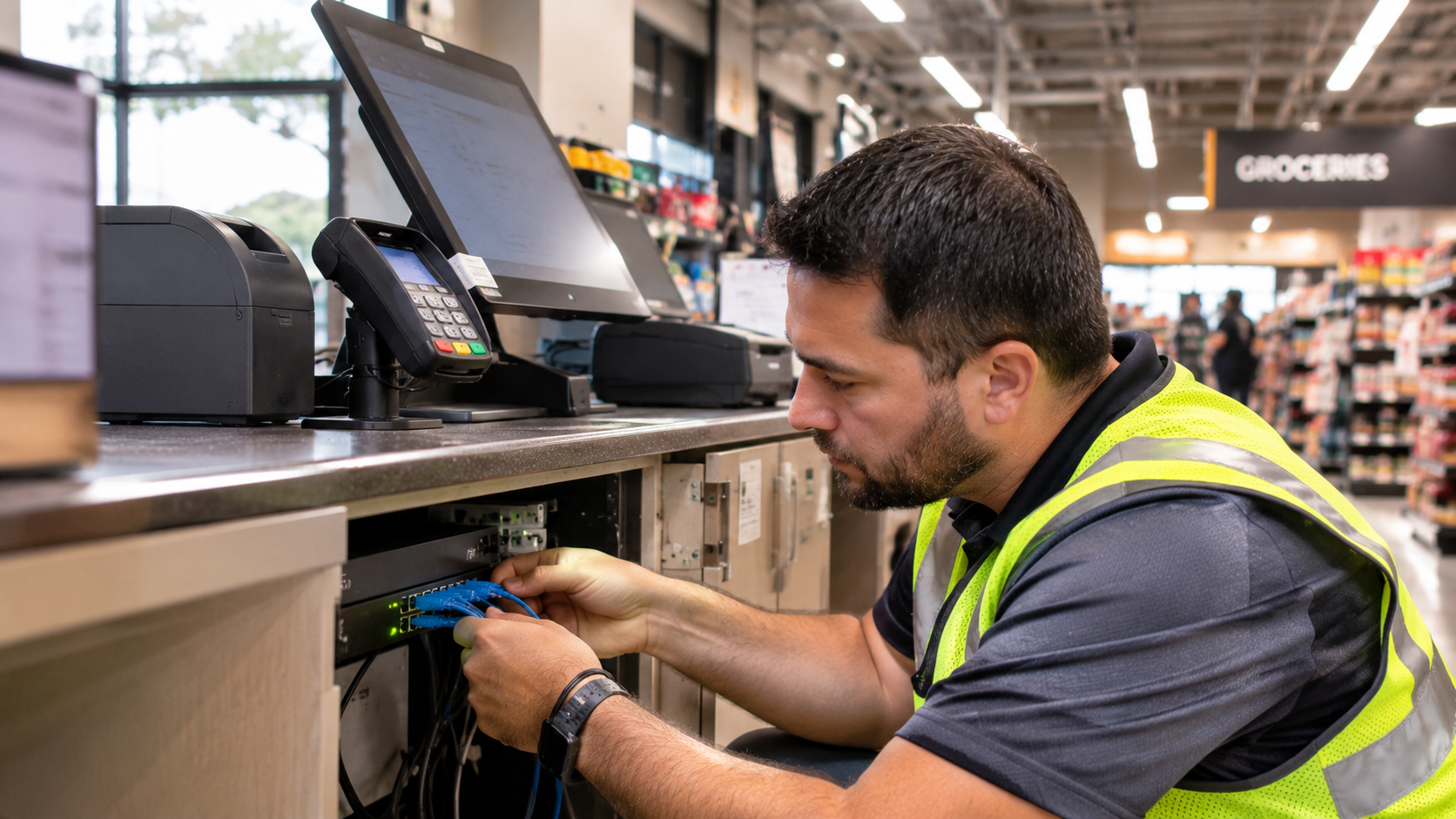
Structured cabling provides the physical foundation for connecting POS equipment and other network devices.
Although wireless connectivity supports many commercial applications, wired Ethernet connections remain important for devices that benefit from consistent, direct network connectivity.
Depending on the POS configuration, this may include checkout terminals, network switches, back-office equipment, and other connected devices.
Why structured cabling matters
A properly installed cabling system helps provide organized and dependable network connections.
Poor cabling practices can create problems that are difficult to identify during daily operations.
Examples include:
-
Damaged or improperly terminated cables
-
Unlabeled network connections
-
Poor cable management
-
Incorrect patch panel connections
-
Inadequate cable routing
-
Unorganized network closets
-
Connections that do not meet installation requirements
These problems can complicate troubleshooting and make future network changes more difficult.
Organizing connections for easier maintenance
For multi-location businesses, consistent cabling practices are especially valuable.
Standardized labeling, organized patch panels, documented connections, and properly managed network equipment make it easier to identify network components and troubleshoot issues.
This becomes increasingly important when multiple locations use similar POS configurations.
Read Why Structured Cabling Is Critical for POS Performance for a closer look at how cabling practices affect POS connectivity.
4. Proper Network Switches and Infrastructure
Network switches connect devices within a local area network and help direct traffic between connected equipment.
For commercial POS environments, switches provide the physical connections required for terminals, network devices, and other infrastructure components.
The appropriate switch configuration depends on the number of devices, network architecture, connectivity requirements, and equipment specifications.
Planning switch capacity
Businesses should consider the number of available switch ports required at each location.
This includes existing POS terminals and other network-connected equipment, as well as reasonable capacity for future additions.
Selecting equipment with insufficient port capacity can create unnecessary limitations when additional devices are introduced.
Considering Power over Ethernet
Some commercial network devices, including compatible wireless access points and certain security cameras, may use Power over Ethernet (PoE).
PoE allows supported devices to receive both data connectivity and electrical power through an Ethernet cable.
When PoE equipment is part of the network design, businesses should account for the switch’s supported PoE standards and total power budget.
This is particularly important when several powered devices share the same switch.
Maintaining organized network equipment
Switches, patch panels, and related equipment should be installed in appropriate locations and arranged to support access, ventilation, cable management, and maintenance.
For multi-location deployments, using consistent equipment layouts and documentation can help simplify troubleshooting and future upgrades.
For additional background, see Core Components of a Reliable Network Infrastructure.
5. Network Segmentation and Security
POS systems handle business-critical transactions and may interact with payment-related services and other sensitive systems.
As a result, network security should be an important part of POS infrastructure planning.
One consideration is network segmentation.
Segmentation separates network traffic into distinct logical or physical network environments, depending on the architecture. This can help limit unnecessary communication between different types of devices.
Separating POS and other network traffic
Businesses may consider separating POS devices from other systems, such as guest wireless networks, employee devices, and other connected equipment.
The specific segmentation approach should be determined by the organization’s IT team, security requirements, POS provider, and network architecture.
For example, guest Wi-Fi users should not have unrestricted access to the network environment supporting payment systems.
Applying access controls
Network security also involves controlling which devices and users can access specific network resources.
Depending on the environment, this may include:
-
Firewall policies
-
Access control lists
-
Network authentication
-
Secure wireless configurations
-
Restricted administrative access
-
Device and network monitoring
-
Regular firmware and software updates
These controls should be designed and maintained by qualified IT personnel in accordance with the organization’s security policies.
Considering payment security requirements
Businesses that accept payment cards should work with their payment providers and qualified security professionals to understand applicable payment security obligations.
The PCI DSS framework establishes security requirements for environments that store, process, or transmit payment card data.
Network segmentation may help reduce the scope of certain payment environments when implemented correctly, but it does not automatically establish compliance.
For related infrastructure considerations, read Network Infrastructure for Businesses.
6. Reliable Internet Connectivity and Backup Planning
For many modern POS platforms, internet connectivity is necessary for transaction processing, cloud applications, synchronization, and other business functions.
An interruption in internet service can therefore affect store operations.
Multi-location businesses should understand how each POS platform behaves when connectivity is interrupted.
Understand the POS system’s offline capabilities
Some POS systems provide offline functionality, while others depend more heavily on continuous connectivity.
Offline capabilities vary by provider, payment processing arrangement, device configuration, and transaction type.
Businesses should confirm:
-
Which POS functions remain available during an outage
-
Whether transactions can be temporarily stored
-
How transactions are processed after connectivity returns
-
Whether payment types are restricted while offline
-
What happens when devices reconnect
-
What operational procedures employees should follow
These details should be confirmed with the POS provider rather than assumed.
Evaluate backup connectivity options
Depending on operational requirements, businesses may consider secondary internet connectivity through another service provider or an alternative connection method.
A backup connection may help maintain access to essential services during certain primary connection outages.
However, backup connectivity should be properly configured and tested. Simply having a second internet connection does not guarantee automatic failover or uninterrupted POS operation.
Plan for network equipment failures
Internet service is only one potential point of disruption.
Businesses should also consider the availability and condition of network switches, routers, firewalls, cabling, and other infrastructure components.
Understanding these dependencies helps organizations develop a more complete continuity plan.
7. Wireless Connectivity for Supporting POS Operations
Although wired connections are often preferred for fixed POS equipment, wireless networks support many other devices used throughout commercial locations.
These may include handheld inventory devices, tablets, mobile POS equipment, employee devices, and other operational technology.
A reliable wireless environment requires appropriate coverage, access point placement, capacity planning, and configuration.
Evaluate wireless coverage
Wireless coverage can vary throughout a building due to walls, shelving, equipment, building materials, and other physical conditions.
A network that performs well near an access point may experience weaker connectivity in stockrooms, offices, or other areas.
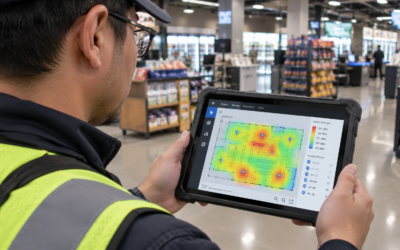
Site surveys help identify these conditions and support more informed access point placement decisions.
Plan for connected devices
Wireless capacity should account for the number of devices expected to connect and the applications they will use.
Businesses should also consider areas where device activity is concentrated, such as checkout areas, stockrooms, and receiving spaces.
Keep wireless networks organized
Access point placement, channel planning, and configuration should follow a consistent approach.
For a broader discussion of wireless network planning, read What Makes a Commercial Wireless Network Reliable?.
8. Standardizing POS Network Infrastructure Across Locations
One of the biggest challenges for multi-location businesses is maintaining consistent infrastructure across different facilities.
Even when locations use the same POS system, differences in equipment, cabling, network layouts, and installation practices can create operational inconsistencies.
Standardization helps address this challenge.
Establish consistent network configurations
Businesses should define appropriate infrastructure standards for locations with similar requirements.
Depending on the deployment, these standards may address:
-
Network equipment specifications
-
Switch capacity
-
Cabling requirements
-
Rack and equipment layouts
-
Port labeling
-
POS network connections
-
Network segmentation
-
Documentation procedures
-
Testing and closeout requirements
Standardization provides a common reference for installation teams and helps simplify future maintenance.
Account for site-specific conditions
Standardization does not mean every location must have an identical physical network layout.
Building conditions, existing infrastructure, device quantities, and operational requirements can differ.
The goal is to maintain consistent standards while allowing the network design to account for each location’s actual conditions.
Make future expansion easier
A standardized infrastructure approach can make it easier to introduce additional POS terminals, replace equipment, or deploy updated technology across the business.
It also helps organizations understand what infrastructure is present at each location.
For more on this subject, see Managing Multi-Site Network Installations.
9. Network Documentation and Ongoing Visibility
Network documentation is often overlooked during technology deployments.
However, it plays an important role in maintaining and troubleshooting POS infrastructure over time.
When a network issue occurs, technicians and IT personnel need reliable information about how equipment is connected and configured.
Without proper documentation, troubleshooting can take longer and may require additional investigation.
What should be documented?
Depending on the project scope and organizational requirements, useful documentation may include:
-
Network equipment inventory
-
Switch and port assignments
-
Cable and patch panel labeling
-
Network diagrams
-
POS device connection details
-
Equipment locations
-
Wireless access point locations
-
Installation photographs
-
Testing and closeout records
-
Identified issues and resolutions
Sensitive network information, including credentials and security configurations, should be stored and shared through appropriate secure channels rather than included in general installation documentation.
Maintaining accurate records across locations
For businesses with multiple facilities, documentation should follow a consistent format.
This makes it easier to compare locations, identify infrastructure differences, and plan future deployment activities.
It also provides a useful reference when troubleshooting or coordinating technology upgrades.
10. Testing and Validating POS Network Connectivity
Installing network equipment does not automatically confirm that the POS environment is ready for operation.
Connectivity should be tested according to the project requirements and the specifications of the POS provider.
Testing helps identify installation issues before the network is placed into regular use.
Verifying physical connections
Technicians should verify that required cables, ports, and network connections are installed correctly.
This may include confirming switch connections, reviewing cable terminations, and checking the physical connectivity of POS equipment.
Confirming network communication
Depending on the project scope and access provided, testing may include verifying that connected devices can communicate with the required network services.
The appropriate checks should be coordinated with the organization’s IT team and POS provider.
Documenting test results
Testing results and identified issues should be recorded as part of the project closeout process.
This provides a reference for the organization and helps establish whether the installation requirements have been completed.
For more information about the relationship between installation quality and reliability, read How Proper Installation Prevents Network Downtime.
11. Coordinating POS Network Deployments Across Multiple Locations
A multi-location POS deployment involves more than installing terminals and connecting network cables.
It requires coordination between project managers, field technicians, IT personnel, site contacts, equipment providers, and other stakeholders.
Without a structured deployment process, locations may be installed on different schedules, equipment may arrive at the wrong time, and site-specific requirements may be overlooked.
Centralized project coordination
Centralized coordination helps maintain visibility into schedules, field resources, installation progress, and outstanding issues.
It also provides stakeholders with a consistent point of contact for project updates and issue resolution.
Confirming site readiness
Before technicians arrive, project teams should confirm that the necessary equipment, site access, infrastructure, and installation instructions are available.
This helps reduce avoidable delays and unnecessary return visits.
Standardizing field execution
Installation teams should work from consistent instructions and established quality requirements.
This helps maintain a more predictable deployment process across different locations while accounting for site-specific conditions.
Managing installation and closeout
Each location should have a clear process for confirming completed work, documenting outstanding issues, and submitting required closeout records.
A consistent approach makes it easier to track the progress of the entire rollout.
Prime-Net supports commercial technology deployment projects through centralized project management, coordinated field resources, standardized execution, and quality assurance.
Frequently Asked Questions
What network infrastructure does a multi-location POS system require?
Requirements vary by POS provider and business configuration. Common infrastructure components include reliable internet connectivity, routers, firewalls, network switches, structured cabling, and appropriate wired or wireless connections.
Businesses should also consider network security, segmentation, documentation, and backup connectivity requirements.
Does every POS terminal need a wired network connection?
Not necessarily. Some POS systems support wireless connectivity, while others use wired Ethernet connections or a combination of both.
The appropriate connection method depends on the POS equipment, payment processing requirements, network design, and vendor specifications.
How much bandwidth does a POS system need?
There is no universal bandwidth requirement for every POS environment.
The amount needed depends on the POS platform, number of connected devices, applications, transaction processes, and other network traffic at the location.
Businesses should follow the specifications provided by their POS and payment processing vendors.
Why should POS systems be separated from guest Wi-Fi?
Separating POS environments from guest wireless networks helps restrict unnecessary access to systems supporting business transactions.
Network segmentation and appropriate access controls can reduce exposure and support a more organized security architecture.
How can businesses maintain consistent POS network performance across multiple locations?
Businesses can establish infrastructure standards, evaluate each location before installation, use consistent equipment and cabling practices where appropriate, document network configurations, and validate installations before closeout.
Centralized project coordination also helps maintain visibility across the deployment.
What happens to POS systems when internet connectivity is lost?
The impact depends on the POS platform and payment processing arrangement.
Some systems provide limited offline functionality, while others require an active connection for certain transactions and services.
Businesses should confirm offline capabilities and recovery procedures directly with their POS provider.
Why is network documentation important for POS deployments?
Documentation helps technicians and IT personnel understand how equipment is connected, where network components are located, and what work was completed.
Accurate records can make troubleshooting, maintenance, and future upgrades easier to coordinate.
Final Thoughts
Reliable POS operations across multiple locations depend on a network infrastructure that is properly planned, installed, and maintained.
Connectivity, bandwidth, structured cabling, network switches, security, wireless coverage, documentation, and testing all contribute to the overall performance of a POS environment.
For multi-location businesses, consistency is just as important as individual site performance. Each location should follow appropriate infrastructure standards while accounting for its own building conditions, equipment requirements, and operational needs.
A coordinated deployment process helps organizations maintain better visibility, reduce preventable installation issues, and establish a more reliable foundation for point-of-sale operations.
At Prime-Net, we support commercial technology deployments through coordinated project management, nationwide field resources, standardized installation practices, and quality assurance.
Planning a multi-location POS deployment?
Prime-Net provides point-of-sale installation and network infrastructure deployment support for retail and commercial environments.
Learn more about our Point-of-Sale Installation Services or contact info@prime-net.net to discuss your next project.