Point-of-sale (POS) systems are essential to daily business operations. In retail stores, grocery locations, restaurants, and other commercial environments, POS terminals support transactions, payment processing, inventory activities, and communication with connected business systems.
While businesses often focus on selecting the right POS hardware and software, the network infrastructure supporting these systems is just as important. Even a well-designed POS solution can experience connectivity problems when the underlying cabling is poorly planned, improperly installed, or insufficient for operational requirements.
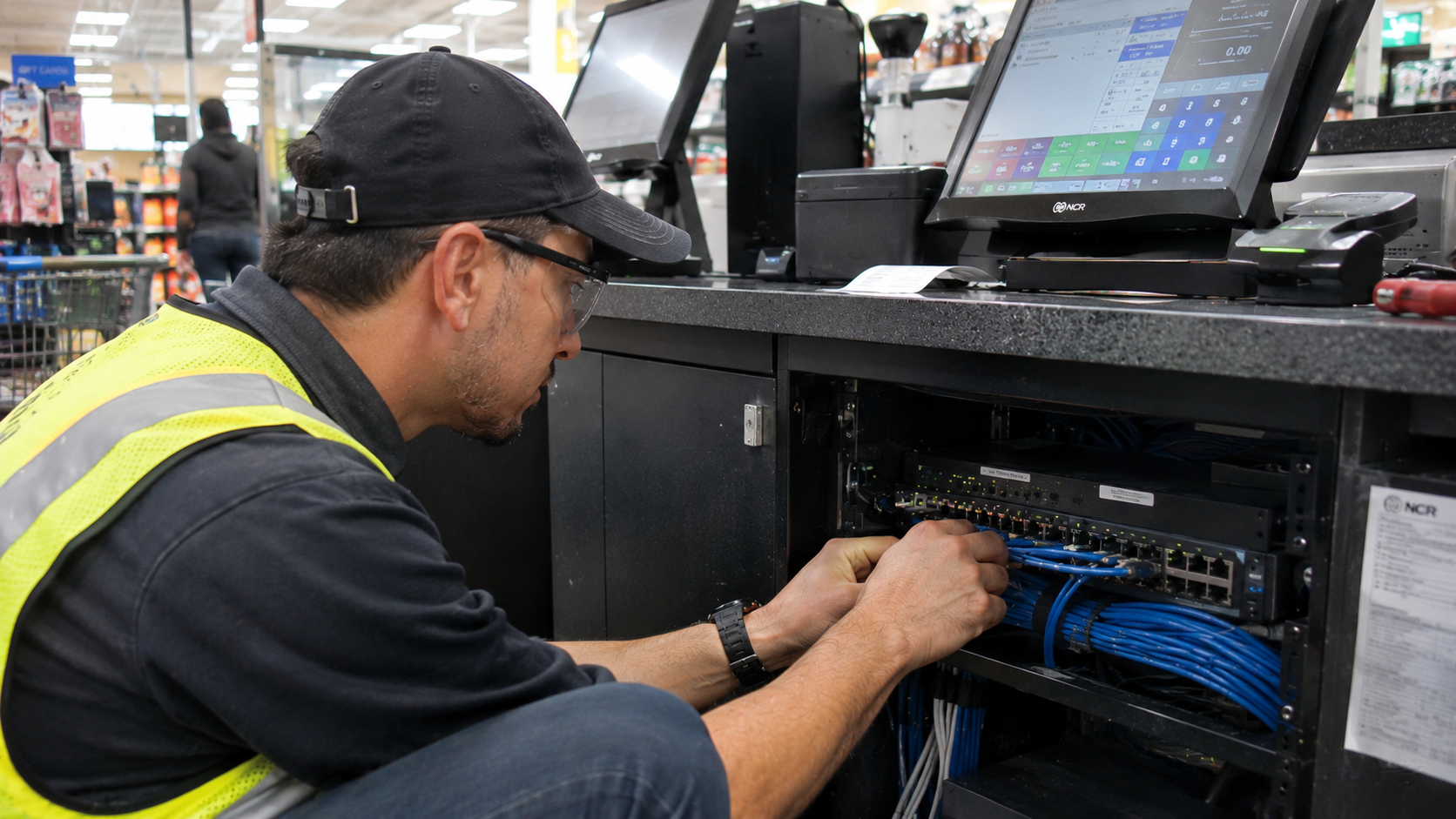
Structured cabling provides the physical foundation that connects POS terminals, network switches, routers, servers, and other devices. When properly designed and installed, it helps create an organized and dependable network environment that supports consistent communication between business systems.
For organizations operating multiple checkout stations or managing technology across several locations, structured cabling is more than an installation detail. It is a critical part of maintaining POS connectivity, minimizing disruptions, and supporting future network expansion.
In this article, we explore why structured cabling is critical for POS performance, the problems caused by inadequate cabling, and the installation practices businesses should consider when deploying or upgrading POS infrastructure.
What Is Structured Cabling in a POS Environment?
Structured cabling is an organized system of cables, connectors, patch panels, telecommunications outlets, and supporting hardware used to connect devices within a building.
Instead of running individual cables without a consistent design, structured cabling establishes a standardized infrastructure that supports network communication throughout a facility.
In a typical commercial POS environment, this infrastructure may connect:
-
POS terminals and checkout stations
-
Payment processing devices
-
Network switches
-
Routers and firewalls
-
Back-office computers
-
Receipt printers and other network-connected peripherals
-
Servers and other business systems
-
Wireless access points
A typical connection path may look like this:
POS Terminal → Network Outlet → Horizontal Cabling → Patch Panel → Network Switch → Router or Firewall → Business Network or Payment Services
The exact arrangement depends on the facility’s network architecture, equipment, and operational requirements.
The goal is to provide a reliable physical connection between devices and the network services they depend on.
For a broader explanation of the physical components involved, see our article on the core components of a reliable network infrastructure.
7 Reasons Structured Cabling Is Critical for POS Performance
Structured cabling influences several aspects of POS network reliability. Although cabling alone cannot guarantee fast transactions or uninterrupted service, a properly installed infrastructure helps eliminate avoidable physical-layer problems that can affect connectivity.
1. It Supports Reliable Communication Between POS Devices and Network Systems
POS terminals communicate with other systems to process transactions and exchange business information.
Depending on the POS architecture, this communication may involve payment processing services, inventory databases, back-office applications, store servers, and other network resources.
When the physical network connection is unstable, communication between these devices can be interrupted.
Common cabling-related problems include:
-
Damaged Ethernet cables
-
Loose or improperly terminated connectors
-
Incorrect cable installation
-
Poorly organized connections
-
Faulty patch cords
-
Cables exceeding applicable channel-length limits
These problems can contribute to intermittent connectivity, packet errors, or complete link failures.
A structured cabling system provides organized connection points and consistent installation practices that make it easier to establish and maintain reliable communication.
Why it matters: A POS terminal needs a dependable connection to the network services required for its operations. Proper cabling helps establish that physical connection and reduces avoidable connectivity issues.
2. It Helps Maintain Consistent Network Performance
Transaction performance depends on several factors, including POS software, server response times, network configuration, internet connectivity, and payment processing services.
However, the physical network connection is still an important part of the overall system.
Poor-quality cabling, damaged connections, or improper termination can result in physical-layer errors and unstable links. These conditions may affect network communication and contribute to inconsistent application performance.
Structured cabling helps support consistent network operation through:
-
Appropriate cable selection
-
Proper termination and connector installation
-
Correct cable routing
-
Organized patch panel connections
-
Compliance with applicable installation standards
-
Testing and verification after installation
For most commercial POS deployments, properly installed copper Ethernet cabling provides the physical connectivity needed to support networked checkout equipment.
Why it matters: A dependable cabling infrastructure helps reduce physical connection problems that could otherwise affect POS communication.
3. It Reduces Connectivity Problems at Checkout Stations
Checkout areas are among the most operationally important parts of a retail or grocery facility.
A connectivity issue affecting one terminal may slow down a transaction. If multiple checkout stations experience network problems, the disruption can affect customer service and store operations.
Cabling problems may be difficult to identify when connections are poorly organized or when multiple devices share an undocumented network layout.
Examples include:
-
A damaged cable serving a checkout station
-
A loose connection behind a POS counter
-
An incorrectly labeled network outlet
-
A patch cord connected to the wrong switch port
-
Cabling damaged during fixture installation or store remodeling
Structured cabling makes it easier to trace connections from individual workstations back to network equipment.
With properly labeled outlets, patch panels, and cables, technicians can identify the affected connection more efficiently.
Why it matters: Organized cabling supports faster troubleshooting and helps reduce the time needed to identify physical connectivity problems.
4. It Supports Power over Ethernet (PoE) Where Required
Some network-connected devices receive both data and electrical power through a single Ethernet cable using Power over Ethernet (PoE).
Depending on the equipment and network design, PoE may support devices such as wireless access points, IP cameras, and certain network-connected peripherals.
Some POS environments may also include PoE-powered devices, depending on the hardware selected.
A PoE deployment requires consideration of more than just cable connectivity. The cabling, network switches, power budget, and connected device requirements must all be compatible.
Important considerations include:
-
Ethernet cable category and condition
-
Supported PoE standard
-
Switch port power capability
-
Total available PoE power budget
-
Cable length and installation conditions
-
Device power requirements
For example, a network switch may support PoE, but its total power budget may not be sufficient for every connected device operating simultaneously.
Cabling should also be selected and installed in accordance with applicable standards and manufacturer requirements.
Why it matters: Properly planned cabling and network equipment help ensure that devices requiring PoE receive compatible power and data connections.
5. It Makes Network Troubleshooting and Maintenance Easier
When a POS system experiences connectivity problems, technicians need to identify where the issue is occurring.
The cause could be the POS terminal, patch cord, wall outlet, horizontal cabling, switch port, network configuration, or an external service.
Without organized cabling, identifying the source of the problem can take longer.
A structured system supports easier maintenance through:
-
Clearly labeled network outlets
-
Organized patch panels
-
Consistent cable routing
-
Documented switch connections
-
Accessible telecommunications spaces
-
Standardized installation practices
For example, if a checkout terminal loses network connectivity, a technician can use the cabling documentation to trace its connection from the workstation to the network switch.
This makes it easier to isolate the physical connection and determine whether the issue is related to the cabling or another part of the network.
Why it matters: Better organization and documentation improve troubleshooting efficiency and support more manageable network maintenance.
6. It Supports POS Expansion and Future Technology Upgrades
Retail technology requirements change over time.
A business may add checkout stations, introduce self-checkout equipment, relocate POS terminals, upgrade payment devices, or connect additional systems to its network.
If the original cabling infrastructure was installed without considering future requirements, expansion may require additional cabling work and network modifications.
A well-planned structured cabling system can provide a more flexible foundation for these changes.
It may support future additions such as:
-
Additional POS terminals
-
Self-checkout stations
-
Network-connected printers
-
Wireless access points
-
IP surveillance cameras
-
Back-office workstations
-
Other connected commercial devices
Planning should account for available switch ports, cable pathways, telecommunications space, and the capacity of the network infrastructure.
Why it matters: A properly planned cabling system helps businesses accommodate technology changes without repeatedly rebuilding the physical network.
7. It Helps Standardize Multi-Location POS Deployments
For retailers and other businesses operating multiple facilities, consistency is an important part of technology deployment.
A POS installation may involve several checkout stations, back-office connections, network equipment, and supporting devices at each location.
Without standardized cabling practices, individual facilities may end up with different layouts, labeling systems, cable management methods, and documentation quality.
This makes future maintenance and troubleshooting more complicated.
A standardized approach can establish consistent expectations for:
-
Cable routing and installation
-
Outlet placement
-
Patch panel organization
-
Labeling conventions
-
Network rack layouts
-
Testing and documentation
-
Installation quality assurance
However, standardization should not mean using an identical physical layout in every building. Each facility still needs to be evaluated based on its floor plan, equipment locations, and operational requirements.
Why it matters: Consistent installation practices make it easier to manage technology infrastructure across multiple locations while accounting for individual site requirements.
What Happens When POS Cabling Is Poorly Installed?
Inadequate cabling can create physical network problems that affect POS connectivity and day-to-day operations.
The table below outlines common issues and their potential consequences.
| Cabling Problem | Potential Effect on POS Operations |
| Damaged Ethernet cable | Intermittent connectivity or link failure |
| Improper cable termination | Connection errors or unstable links |
| Incorrect cable category | Failure to meet intended performance requirements |
| Excessive cable length | Link performance issues or noncompliance with channel limits |
| Poor cable management | More difficult troubleshooting and maintenance |
| Unlabeled connections | Longer time to identify affected cables |
| Insufficient network outlets | Limited flexibility when adding checkout stations |
| Poorly planned pathways | Difficult future expansion and increased installation complexity |
It is important to distinguish between a cabling problem and other network or application issues. Slow POS transactions, for example, may be caused by payment processor delays, internet service interruptions, server performance, or software problems rather than the physical cabling.
Proper testing and troubleshooting help identify the actual source of the issue.
Choosing the Right Cabling for POS Infrastructure
Cable selection should be based on the network’s performance requirements, equipment specifications, installation environment, and applicable standards.
For many commercial POS environments, balanced twisted-pair copper Ethernet cabling is used to connect terminals and other network devices.
Common categories include:
| Cable Category | Rated Bandwidth | Common Ethernet Applications |
| Cat5e | 100 MHz | 100BASE-TX and 1000BASE-T |
| Cat6 | 250 MHz | Gigabit Ethernet and 10GBASE-T over limited distances |
| Cat6A | 500 MHz | 10GBASE-T up to 100 meters |
These bandwidth ratings describe cable category specifications. They should not be confused with guaranteed internet speeds or actual application throughput.
The appropriate cable depends on the intended Ethernet application, channel design, installation conditions, and future requirements.
Cat5e
Cat5e supports Gigabit Ethernet over a compliant channel up to 100 meters.
It may be suitable for certain existing POS installations, particularly when the network equipment and application requirements do not call for higher performance.
Cat6
Cat6 supports Gigabit Ethernet over a compliant channel up to 100 meters. It can also support 10 Gigabit Ethernet over shorter distances, commonly up to 55 meters under specified conditions.
It provides additional performance headroom compared with Cat5e for many commercial installations.
Cat6A
Cat6A supports 10 Gigabit Ethernet over a compliant channel up to 100 meters.
It may be considered when businesses want higher bandwidth capacity or a cabling infrastructure designed to support more demanding future applications.
For POS installations, the most expensive cable category is not automatically the best choice. Cable selection should reflect the actual requirements of the network and the long-term infrastructure plan.
Best Practices for Structured Cabling in POS Installations
A reliable POS network starts with proper planning and continues through installation, testing, and documentation.
The following practices help support a more dependable cabling infrastructure.
1. Assess the Site Before Installation
Before running cables, evaluate the facility layout and identify where POS terminals, payment devices, network equipment, and other connected systems will be located.
Consider:
-
Checkout counter positions
-
Network equipment locations
-
Existing cable pathways
-
Wall and ceiling conditions
-
Available telecommunications space
-
Potential installation obstacles
-
Future equipment requirements
A site assessment helps identify installation requirements before field work begins.
2. Use Appropriate Cable Types and Materials
Select cabling and connectivity hardware based on the intended application and installation environment.
Consider cable category, jacket rating, connector compatibility, and manufacturer specifications.
Cable installations should also follow applicable building codes, fire requirements, and industry standards.
3. Follow Proper Cable Routing and Installation Practices
Cables should be installed using appropriate pathways and support systems.
Avoid excessive pulling tension, sharp bends, physical damage, and unsupported cable runs.
Where required, maintain appropriate separation from electrical power wiring and follow applicable installation guidelines.
Proper routing helps protect the cabling infrastructure and supports easier maintenance.
4. Label Every Connection
Consistent labeling makes it easier to identify individual POS connections and trace them back to network equipment.
Labels should be applied to relevant outlets, patch panels, and cable endpoints using a consistent naming convention.
This is especially important when multiple checkout stations and network devices are installed within the same facility.
5. Test Cabling Before Project Closeout
A completed cable installation should be tested rather than judged only by whether a device successfully connects.
The appropriate testing method depends on the cable category, project requirements, and intended use.
For example:
-
Wiremap testing checks conductor continuity and wiring configuration.
-
Cable qualification testing evaluates whether a link can support a particular network application.
-
Cable certification testing measures performance against applicable cabling standards.
Testing helps identify installation defects and provides documentation that the cabling infrastructure meets the specified requirements.
6. Document the Completed Installation
Closeout documentation should provide a useful record of the installed infrastructure.
Depending on project scope, this may include:
-
Cable and outlet identification
-
Patch panel assignments
-
Network rack layouts
-
Equipment locations
-
Test results
-
Installation notes
-
Relevant changes made during deployment
Accurate documentation supports future maintenance, troubleshooting, and technology upgrades.
How Structured Cabling Connects to POS Network Reliability
Structured cabling is only one part of a complete POS network.
The physical connection must work together with network switches, routers, firewalls, internet connectivity, and the POS equipment itself.
For example, a POS terminal may have properly installed Cat6 cabling, but transaction delays can still occur if the network switch is overloaded, the internet connection is unstable, or the payment processing service is experiencing an outage.
This is why POS performance should be evaluated as a complete network environment.
Businesses should consider the relationship between:
-
Structured cabling: Provides the physical connection between network devices.
-
Network switches: Connect devices within the local network.
-
Routers and firewalls: Manage traffic between networks and enforce network security policies.
-
Internet connectivity: Provides access to external services when required.
-
POS hardware and software: Process transactions and communicate with supporting applications.
-
Power infrastructure: Supplies reliable electrical power to network equipment and connected devices.
For more information about how these components work together, read our article on POS network infrastructure and transaction speed and reliability.
You can also explore our guide to the commercial network installation process.
Structured Cabling Considerations for Multi-Site POS Rollouts
Deploying POS infrastructure across multiple stores introduces additional coordination requirements.
A rollout may involve hundreds of checkout stations, different facility layouts, varying existing network conditions, and installation schedules that must align with store operations.
Without a standardized deployment process, differences in installation quality and documentation can create challenges during project closeout and future maintenance.
A structured approach should include:
1. Site assessment: Review each facility’s layout, existing infrastructure, and POS installation requirements.
2. Installation planning: Identify cable routes, network equipment locations, outlet requirements, and potential obstacles.
3. Material staging: Prepare the appropriate cabling, connectors, and installation materials.
4. Field installation: Complete cabling and connectivity work according to the project specifications.
5. Testing and quality assurance: Verify connections and review installation quality.
6. Documentation and turnover: Record completed work and provide relevant closeout information.
The process should be consistent across locations while allowing for site-specific adjustments.
For additional guidance, read our article on managing multi-site network installations.
How Prime-Net Supports POS and Network Infrastructure Deployments
Prime-Net, the technology deployment division of Prime Retail Services, Inc., supports nationwide technology installation projects for multi-site retail and commercial environments.
Its capabilities include Point-of-Sale Installation, Network Infrastructure, Wireless Networks, CCTV Installation, Project Staffing, and Digital Menu Boards.
For POS projects, the physical network infrastructure is an important part of preparing a facility for technology deployment.
Prime-Net’s Point-of-Sale Installation services support POS deployment requirements, while its Network Infrastructure services address the supporting connectivity infrastructure.
A structured project execution approach helps coordinate the work required across individual facilities and larger rollout programs.
Prime-Net’s deployment workflow includes:
1. Survey: Evaluate site conditions, installation requirements, and project readiness.
2. Staging: Prepare equipment and coordinate materials before field deployment.
3. Installation: Deploy POS equipment and supporting technology infrastructure.
4. Quality Assurance: Review completed work and verify installation requirements.
5. Turnover: Provide project documentation and closeout information.
Through centralized project management, standardized execution procedures, and coordinated field resources, Prime-Net helps businesses manage technology deployments across geographically distributed locations.
Frequently Asked Questions
Does structured cabling improve POS transaction speed?
Structured cabling can help eliminate physical connection problems that contribute to network instability. However, it does not automatically make transactions faster. POS performance also depends on network equipment, configuration, application performance, internet connectivity, and payment processing services.
What type of Ethernet cable is best for POS systems?
Cat5e, Cat6, and Cat6A may all be appropriate depending on the network requirements and equipment specifications. Cat6 is a common choice for new commercial installations, while Cat6A may be considered when higher bandwidth capacity or future network requirements justify it.
Can poor cabling cause POS terminals to disconnect?
Yes. Damaged cables, improper terminations, loose connectors, and other physical-layer problems can cause intermittent connectivity or complete link failure.
How often should POS network cabling be inspected?
There is no universal inspection schedule for every facility. Cabling should be evaluated when connectivity problems occur, when POS equipment is upgraded, when the facility undergoes renovations, or when additional devices are introduced. Businesses should also follow applicable maintenance and inspection requirements.
Is structured cabling necessary for every POS terminal?
A POS terminal needs a suitable network connection based on its design. Many commercial installations use structured Ethernet cabling for wired POS connectivity. Some systems may use wireless connections, depending on operational requirements and network design.
What is the difference between structured cabling and network infrastructure?
Structured cabling refers to the organized physical cabling system used to connect devices. Network infrastructure is broader and includes cabling, switches, routers, firewalls, wireless access points, and other components that enable network communication.
Why is cabling documentation important in multi-location POS deployments?
Documentation helps technicians identify cable routes, outlet locations, patch panel assignments, and network connections. Consistent records make troubleshooting, maintenance, upgrades, and future installations easier to coordinate across multiple facilities.
Final Thoughts
POS performance depends on more than the terminals and software used to process transactions. The physical network infrastructure connecting those devices plays an important role in maintaining reliable communication throughout a commercial facility.
Poorly installed or undocumented cabling can contribute to connectivity problems, increase troubleshooting time, and make future technology upgrades more complicated.
Structured cabling provides an organized foundation for POS connectivity. Through proper site assessment, appropriate cable selection, professional installation, testing, and documentation, businesses can build network infrastructure that better supports their operational requirements.
For retailers and other multi-location businesses, standardized cabling practices also help create more consistent technology deployments across facilities.
Planning a POS installation or network infrastructure upgrade?
Contact Prime-Net at info@prime-net.net to discuss your POS deployment, structured cabling, and multi-site technology installation requirements.