
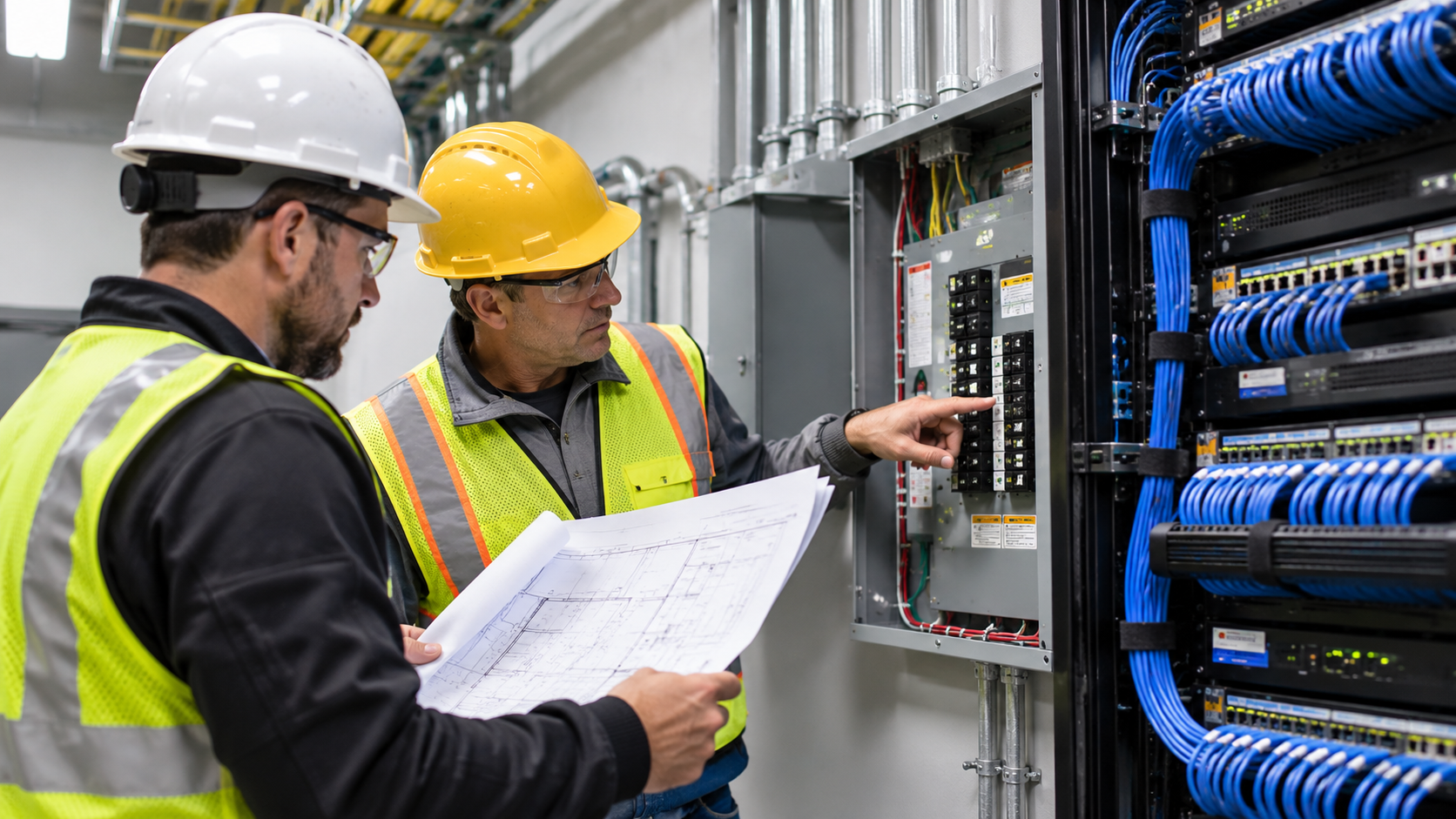
Network and security installations depend on more than selecting the right equipment and running the necessary cables. Every device needs an appropriate power source, and the supporting electrical infrastructure must be capable of handling the system’s requirements.
Network switches, wireless access points, CCTV cameras, recording equipment, access control components, and other connected devices all have specific power requirements. If these requirements are overlooked during project planning, businesses may encounter installation delays, insufficient power capacity, connectivity problems, or equipment reliability issues.
These considerations become especially important in commercial environments where technology installations take place alongside renovations, equipment upgrades, or other electrical and construction work.
For businesses deploying technology across multiple locations, electrical planning should be part of the installation process from the beginning. Coordinating power requirements, equipment placement, cabling pathways, and electrical work helps create a more reliable foundation for the entire system.
This article explains the electrical considerations involved in network and security installations, common planning mistakes, and how businesses can coordinate electrical and low-voltage work more effectively.
1. Why Electrical Planning Matters for Network and Security Installations
Network and security equipment requires stable, appropriately sized power sources to operate as intended.
A network switch may need to power multiple connected devices. A CCTV system may include cameras, network video recorders, monitors, and supporting network equipment. Wireless access points may receive power through PoE switches or dedicated power adapters.
Each component contributes to the overall electrical requirements of the installation.
Without proper planning, businesses may encounter issues such as:
-
Insufficient electrical capacity for additional equipment
-
Inadequate power availability in network closets
-
Overloaded or improperly selected power distribution equipment
-
Insufficient PoE power budgets
-
Lack of backup power for critical devices
-
Poor coordination between electrical and low-voltage contractors
-
Delays caused by unavailable outlets or unfinished electrical work
These problems can affect more than the installation schedule. They may also create operational limitations after the system has been deployed.
Electrical planning helps identify these requirements before equipment is installed, reducing the likelihood of avoidable changes and helping ensure that the supporting infrastructure aligns with the technology being deployed.
2. Identify the Power Requirements of Every Device
The first step in electrical planning is understanding what equipment will be installed and how each device receives power.
Different network and security components have different power requirements. Some connect directly to electrical outlets, while others receive power through network cabling or centralized power systems.
A complete equipment inventory should identify:
-
Equipment type and quantity
-
Manufacturer and model
-
Voltage and power requirements
-
Power consumption
-
Power supply or adapter requirements
-
PoE compatibility, where applicable
-
Expected operating conditions
-
Backup power requirements
Network Switches
Network switches connect computers, cameras, wireless access points, and other network devices.
Their electrical requirements depend on the equipment model, port configuration, connected devices, and whether the switch supports Power over Ethernet.
A switch that powers several connected devices may have significantly different power requirements from a non-PoE switch with a similar number of ports.
Wireless Access Points
Wireless access points require power to operate and provide wireless connectivity.
Depending on the equipment design, power may be supplied through PoE or a dedicated power adapter.
For installations using PoE, the selected switch must support the access point’s power requirements and the overall power demand of the connected devices.
CCTV Cameras
IP cameras commonly receive power through PoE, although some models use separate power supplies.
The requirements can vary based on camera features, such as infrared illumination, heaters, motorized movement, or other integrated functions.
These differences should be considered when determining the power budget of the network equipment supporting the cameras.
Network Video Recorders and Servers
Recording equipment and servers generally require direct electrical power.
Their placement should account for available outlets, equipment power consumption, ventilation, and any applicable backup power requirements.
Other Security Equipment
Other security components may include monitors, access control equipment, communication devices, and supporting infrastructure.
The project team should review the requirements of all equipment included in the approved scope rather than focusing exclusively on cameras and network switches.
A complete equipment inventory provides the information needed to evaluate power availability and identify potential limitations before installation begins.
3. Evaluate Electrical Capacity Before Installation
Once the equipment requirements are identified, the next step is determining whether the existing electrical infrastructure can support the planned installation.
A commercial facility may have available outlets and electrical panels, but that does not automatically mean sufficient capacity exists for additional technology equipment.
Electrical capacity should be evaluated based on the existing loads, proposed equipment, available circuits, and applicable electrical requirements.
Review Existing Electrical Infrastructure
Before installing new equipment, the project team should understand the existing electrical conditions in the areas where technology equipment will be located.
Relevant considerations include:
-
Available electrical circuits
-
Existing connected loads
-
Circuit capacity
-
Available outlets
-
Electrical panel capacity
-
Power distribution arrangements
-
Equipment room conditions
-
Planned electrical modifications
This review helps determine whether the existing infrastructure can support the installation or whether additional electrical work may be required.
Consider Future Equipment Loads
Electrical planning should account for anticipated changes rather than only the initial installation.
For example, a network closet may initially support a single switch and several wireless access points. A future expansion could introduce additional switches, cameras, or network equipment.
Planning for expected growth can help avoid unnecessary electrical modifications later.
Coordinate Electrical Assessments
When additional circuits, outlets, or electrical modifications are required, these activities should be evaluated and performed by appropriately qualified electrical professionals.
Network installation teams should communicate their equipment requirements and intended installation locations so electrical work can be planned accordingly.
Prime-Net’s article on power requirements for network and security systems provides additional information on the relationship between electrical infrastructure and technology equipment.
4. Understand Power over Ethernet Requirements
Power over Ethernet, commonly called PoE, allows compatible network devices to receive electrical power through Ethernet cabling.
This technology is widely used in commercial network and security installations because it can simplify device deployment and reduce the need for separate electrical connections at every device location.
Common PoE applications include:
-
IP security cameras
-
Wireless access points
-
Certain network communication devices
-
Other compatible low-voltage network equipment
However, PoE planning requires more than confirming that a switch supports PoE.
Check the Switch’s Total PoE Budget
A PoE switch has a maximum amount of power available to distribute across its connected devices.
This is known as its PoE power budget.
For example, a switch may support PoE on every port but have a total power budget that is insufficient to operate every connected device at its maximum power requirement simultaneously.
Consider a switch with a 250-watt PoE budget. If the connected devices collectively require more than that available capacity, the switch may not be able to supply the required power to all devices under the intended operating conditions.
The total PoE budget should therefore be evaluated alongside the number and power requirements of connected devices.
Account for Individual Device Requirements
Different PoE devices may require different power levels.
A basic wireless access point may have different requirements from a more advanced model. Similarly, a standard IP camera may consume less power than a camera with additional features.
The project team should review manufacturer specifications to confirm the supported PoE standard and power requirements of each device.
Consider PoE Expansion
Additional cameras or wireless access points may be added after the original installation.
A switch with little remaining PoE capacity may limit future expansion even when unused network ports are available.
Planning for anticipated device additions helps prevent situations where the network has available connectivity but insufficient power capacity.
For more information about the supporting network infrastructure, see Prime-Net’s article on core components of reliable network infrastructure.
5. Plan Backup Power for Critical Network and Security Equipment
Network and security systems may need to remain operational during certain power interruptions.
A loss of electrical power can affect network connectivity, wireless coverage, video surveillance, and other connected technology.
Backup power planning helps determine which equipment should receive temporary power during an outage and how long that equipment needs to remain operational.
Uninterruptible Power Supplies
An Uninterruptible Power Supply, or UPS, provides temporary battery-backed power to connected equipment when normal electrical power is interrupted.
UPS systems are commonly used for:
-
Network switches
-
Network routers
-
Servers
-
Network video recorders
-
Other critical technology equipment
The appropriate UPS depends on the connected load, required runtime, equipment compatibility, and operating conditions.
Determine Which Equipment Needs Backup Power
Not every device necessarily requires the same backup power arrangement.
For example, a business may prioritize keeping its core network equipment and video recording system operational during a brief outage.
A practical backup power plan should identify the equipment that supports essential functions and determine how those components should be powered.
Estimate Runtime Requirements
UPS runtime depends on the connected load and the capacity and condition of the battery system.
A UPS operating near its maximum load will generally provide less runtime than the same unit supporting a smaller load.
Businesses should evaluate the expected runtime against their operational requirements rather than selecting a UPS based only on its advertised wattage or capacity.
Consider the Entire Power Path
Backup power is only effective when the required components are included.
For example, powering a network video recorder without accounting for the network switch supplying the cameras may leave the system unable to receive video from those cameras during an outage.
Similarly, a backup-powered network switch may not maintain connectivity if its upstream network equipment loses power.
The backup power design should consider the complete system and its dependencies.
6. Evaluate Grounding and Electrical Protection
Grounding and electrical protection are important considerations in commercial network and security installations.
Improper grounding, electrical faults, and certain power disturbances can affect connected equipment and create potential safety concerns.
Electrical protection should be evaluated as part of the overall installation design, particularly in facilities with extensive network infrastructure or equipment distributed across large areas.
Grounding and Bonding
Grounding and bonding help establish appropriate electrical safety and fault-current paths within an electrical system.
Network and telecommunications infrastructure may also have specific bonding requirements depending on the installation design and applicable standards.
These requirements should be reviewed by qualified electrical professionals familiar with the facility and the relevant installation standards.
Surge Protection
Electrical surges can damage connected equipment.
Depending on the facility and installation conditions, surge protection may be appropriate for electrical circuits and certain communication or data connections.
The appropriate protection depends on the equipment, system design, and potential exposure to electrical disturbances.
Power Quality
Voltage fluctuations and other power-quality issues can affect electronic equipment.
Facilities experiencing recurring electrical problems should evaluate the underlying conditions rather than repeatedly replacing network devices.
For more information, see how electrical infrastructure affects network performance and common electrical issues that cause network failures.
7. Coordinate Electrical and Low-Voltage Installation Work
One of the most important parts of planning network and security installations is coordinating electrical work with low-voltage activities.
These workstreams frequently overlap in commercial environments.
Electrical contractors may be responsible for circuits, outlets, and other electrical infrastructure, while low-voltage installation teams handle network cabling, device connections, and related technology equipment.
If these activities are not coordinated, one contractor may complete work that depends on another contractor’s unfinished scope.
Establish the Installation Sequence
The project team should identify which activities need to happen first.
For example:
1. Review the equipment requirements and installation locations.
2. Confirm electrical capacity and required power connections.
3. Complete necessary electrical modifications.
4. Prepare cable pathways and supporting infrastructure.
5. Install network cabling and related equipment.
6. Connect and configure the technology devices.
7. Complete testing and quality assurance.
The exact sequence will depend on the facility and project scope, but identifying dependencies early helps prevent unnecessary rework.
Coordinate Equipment Locations
Network racks, CCTV recording equipment, and other technology components should have clearly defined installation locations.
Electrical outlets, circuit availability, cable pathways, and physical access should be considered together.
This helps avoid situations where equipment is delivered or installed before the necessary supporting infrastructure is ready.
Define Contractor Responsibilities
Project teams should clearly identify which contractor is responsible for each activity.
For example, responsibilities may include:
-
Providing electrical circuits and outlets
-
Installing network cabling
-
Preparing equipment racks
-
Mounting cameras and wireless access points
-
Connecting network devices
-
Testing installed equipment
-
Documenting completed work
Clear responsibility assignments reduce confusion and help project managers coordinate activities across different trades.
Prime-Net’s article on coordinating electrical and low-voltage work explores the importance of managing these overlapping activities.
8. Consider Electrical Requirements in Network Closets and Equipment Rooms
Network closets and equipment rooms often serve as the central locations for switches, patch panels, routers, and other network infrastructure.
These spaces should be evaluated before equipment installation begins.
Available Power
The room should have appropriate electrical connections for the planned equipment.
Project teams should verify that the available circuits and outlets align with the equipment requirements and approved installation design.
Equipment Distribution
The arrangement of network equipment should account for power distribution, cable management, equipment accessibility, and physical space.
Poorly organized installations can make maintenance and troubleshooting more difficult.
Heat and Ventilation
Network equipment generates heat during operation.
Equipment rooms should have appropriate environmental conditions for the installed devices, including adequate ventilation and temperature control based on manufacturer requirements.
Electrical planning and equipment placement should be considered together because adding switches, servers, and recording equipment can increase the heat generated within a confined space.
UPS Placement and Access
If backup power equipment is included, its location should account for physical dimensions, weight, ventilation, electrical connections, and maintenance access.
The arrangement should also allow technicians to inspect and service the equipment without unnecessarily disturbing other network components.
9. Account for CCTV and Security System Power Requirements
Security installations often involve equipment distributed throughout a facility.
Unlike a network closet where several devices may be concentrated in one area, cameras and other security components may be installed across sales floors, entrances, parking areas, warehouses, and back-of-house spaces.
This creates additional coordination requirements.
Camera Power
IP cameras may receive power through PoE or separate power supplies.
The selected power method should be compatible with the camera specifications and the network infrastructure supporting the installation.
Recording Equipment
Network video recorders and related equipment need appropriate electrical connections and may require backup power depending on operational requirements.
Their power requirements should be evaluated alongside the camera network rather than treated as an independent installation.
Distributed Equipment
Large facilities may have cameras and network devices connected through multiple switches or network closets.
Each location should be evaluated for power availability, equipment placement, and the infrastructure needed to support the connected devices.
Outdoor Installations
Outdoor security equipment may be exposed to environmental conditions that affect the installation design.
Equipment selection, power arrangements, cable routing, and applicable protection requirements should be reviewed according to the specific location and manufacturer’s instructions.
Prime-Net’s CCTV installation service supports commercial surveillance deployments, while its network infrastructure services address the connectivity components required by connected systems.
10. Plan Electrical Requirements Across Multiple Locations
Multi-site technology deployments introduce additional complexity because electrical infrastructure can vary significantly between facilities.
A business may have a standardized CCTV or network design, but individual locations may have different electrical panels, circuit availability, equipment rooms, and existing infrastructure.
A consistent planning process helps identify these differences before installations begin.
Develop a Site-Specific Electrical Checklist
Each location should be evaluated against a common set of requirements.
The checklist may include:
-
Available electrical circuits
-
Existing electrical capacity
-
Required outlets and connections
-
Network equipment locations
-
PoE switch requirements
-
UPS requirements
-
Grounding and protection considerations
-
Equipment room conditions
-
Required electrical modifications
-
Site-specific installation restrictions
Document Site Differences
Not every location will require the same electrical work.
One facility may have sufficient capacity for the planned equipment, while another may need additional circuits or changes to its equipment layout.
Documenting these differences helps project managers coordinate the appropriate resources and avoid treating every location as identical.
Coordinate Electrical Work With the Deployment Schedule
Electrical modifications should be completed at the appropriate stage of the project.
If network installation teams arrive before required electrical work is finished, the deployment may experience delays or additional site visits.
For multi-location projects, electrical readiness should therefore be tracked alongside site surveys, equipment delivery, technician scheduling, and installation progress.
11. Common Electrical Planning Mistakes to Avoid
Electrical planning issues can create installation problems that are difficult or expensive to correct after equipment has been deployed.
Several mistakes are particularly important to avoid.
1. Assuming Existing Power Is Sufficient
Available outlets do not automatically indicate that the electrical infrastructure can support additional equipment.
Circuit capacity and existing loads should be evaluated before new devices are connected.
2. Ignoring PoE Power Budgets
A switch may have enough ports for all connected cameras and access points but insufficient total PoE capacity to power them.
Device-level requirements and the switch’s total power budget should be reviewed together.
3. Overlooking Backup Power
Providing backup power to only part of a network or security system may not preserve the intended functionality during an outage.
The complete power path and equipment dependencies should be evaluated.
4. Delaying Electrical Coordination
Waiting until installation begins to identify electrical requirements can create scheduling conflicts and unnecessary work.
Electrical planning should begin during the design and site preparation stages.
5. Failing to Account for Future Expansion
A system designed only for its initial equipment load may require additional electrical modifications when more cameras, switches, or access points are added.
Expected growth should be considered during planning.
6. Neglecting Equipment Room Conditions
Insufficient space, poor ventilation, and difficult equipment access can affect the long-term operation and maintenance of network infrastructure.
Electrical and physical installation requirements should be reviewed together.
7. Incomplete Documentation
Missing information about circuits, equipment connections, and installation locations can make future maintenance more difficult.
Project closeout should include the documentation required by the approved scope.
12. A Practical Checklist for Electrical Planning
Before beginning a network or security installation, project teams should review the following areas.
| Planning Area | Key Considerations |
| Equipment inventory | Identify every device, quantity, and power requirement |
| Electrical capacity | Review existing circuits, connected loads, and available capacity |
| Power distribution | Confirm appropriate outlets and equipment connections |
| PoE requirements | Verify device compatibility and total switch power budgets |
| Backup power | Determine which equipment requires UPS support |
| Grounding | Review applicable grounding and bonding requirements |
| Surge protection | Evaluate appropriate protection for the installation |
| Network closets | Confirm power, equipment space, ventilation, and access |
| CCTV equipment | Review camera, switch, and recording equipment requirements |
| Contractor coordination | Define electrical and low-voltage responsibilities |
| Installation sequence | Identify dependencies between trades |
| Multi-site readiness | Document electrical conditions at each location |
| Future expansion | Account for anticipated equipment additions |
| Documentation | Record relevant equipment and installation information |
Reviewing these requirements before installation helps identify potential issues and provides a clearer basis for coordinating the project.
Frequently Asked Questions
Why is electrical planning important for network installations?
Electrical planning helps ensure that the supporting infrastructure can provide appropriate power to network equipment and connected devices. It also helps identify capacity limitations, backup power requirements, and coordination needs before installation begins.
Do network switches require dedicated electrical circuits?
Not every network switch requires its own dedicated circuit. The appropriate arrangement depends on the equipment’s electrical requirements, connected load, facility conditions, and applicable electrical requirements. A qualified electrical professional should evaluate circuit requirements.
What is a PoE power budget?
A PoE power budget is the total amount of electrical power a PoE switch can distribute to connected devices. The combined power requirements of the connected cameras, wireless access points, and other devices should remain within the switch’s available capacity.
Should network equipment be connected to a UPS?
A UPS may be appropriate for network equipment that needs temporary backup power during electrical interruptions. The selection should account for the connected load, required runtime, and equipment dependencies.
Why should electrical and low-voltage contractors coordinate their work?
Electrical and low-voltage installations often depend on shared spaces, pathways, equipment locations, and project schedules. Coordination helps establish the correct installation sequence, clarify responsibilities, and reduce delays and rework.
Does CCTV equipment require separate electrical power?
It depends on the camera and system design. Many IP cameras receive power through PoE, while other models use separate power supplies. Recording equipment and other components may require direct electrical connections.
What should be checked before installing network equipment in a server room?
Important considerations include available electrical capacity, appropriate power connections, equipment space, ventilation, cable management, backup power requirements, and maintenance access.
Final Thoughts
Electrical planning is an essential part of reliable network and security installations. Network switches, wireless access points, CCTV cameras, recording equipment, and other connected devices all depend on appropriate power arrangements.
Evaluating electrical capacity, PoE requirements, backup power, grounding, equipment placement, and contractor responsibilities before installation helps reduce avoidable problems and supports a more organized deployment.
For commercial facilities and multi-location businesses, coordinating electrical and low-voltage work early is particularly important. A structured planning process helps ensure that the supporting infrastructure is ready when technology installation begins.
Prime-Net provides commercial technology deployment services, including network infrastructure, wireless networks, CCTV installation, and project staffing. Coordinating these technology installations with the facility’s electrical requirements helps establish a more reliable foundation for the completed system.
Planning a commercial network or security installation? Contact Prime-Net at info@prime-net.net to discuss your project requirements.