
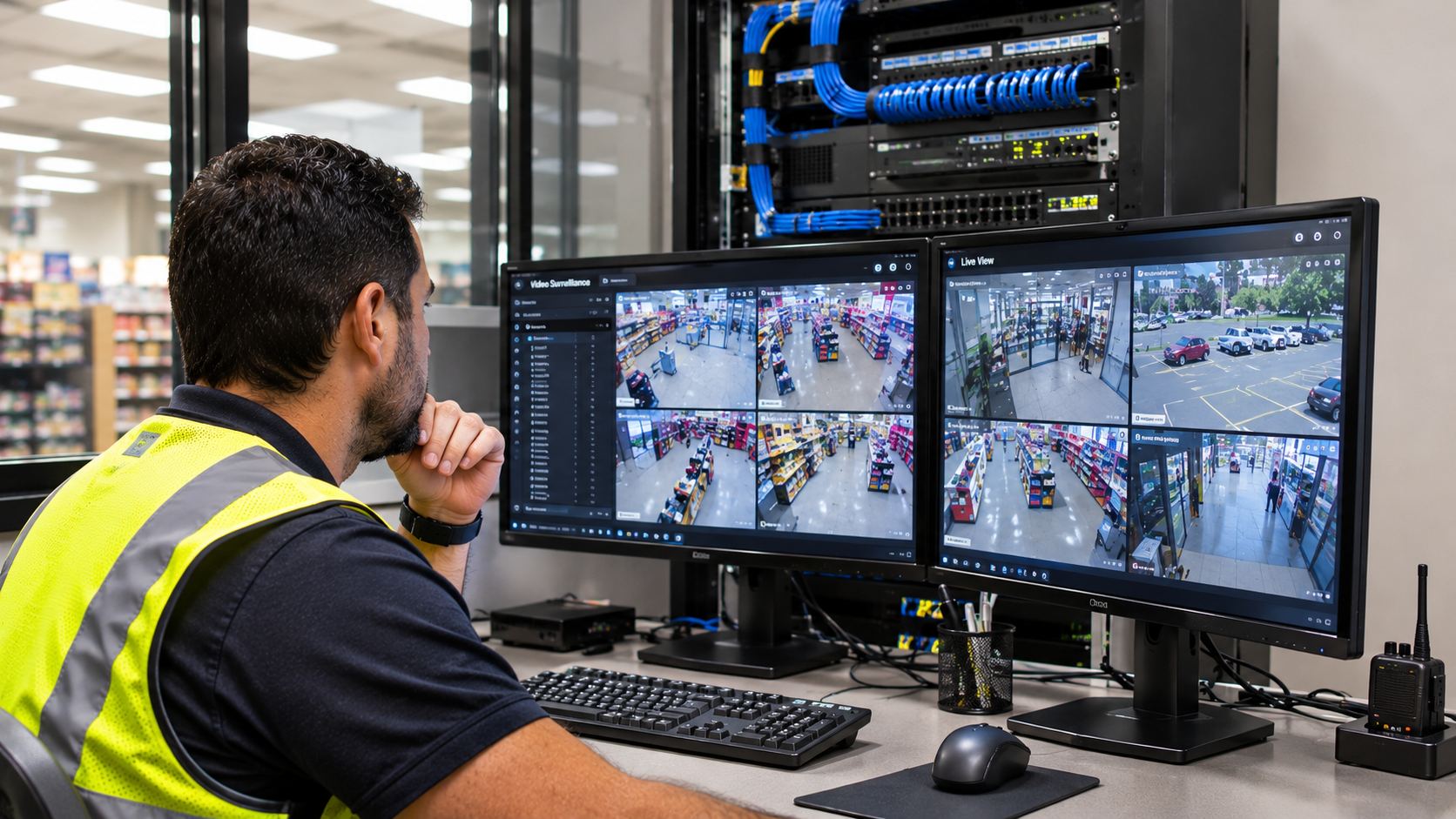
Modern video surveillance systems generate significant amounts of network traffic and recorded data. As businesses expand their camera coverage, upgrade to higher-resolution equipment, or connect multiple locations to centralized monitoring platforms, bandwidth and storage become increasingly important parts of CCTV system planning.
A surveillance system may have enough cameras to cover every required area, but that does not automatically mean its network can support the video streams or that its storage can retain recordings for the required period. Insufficient bandwidth can affect video transmission, remote viewing, and recording performance. Inadequate storage capacity can result in shorter retention periods or the loss of older footage sooner than expected.
These considerations are especially important for retailers, grocery stores, warehouses, and other commercial environments where surveillance systems may operate continuously across multiple areas or locations.
Understanding how camera resolution, frame rate, compression, network capacity, and retention requirements interact helps businesses plan more reliable CCTV deployments.
1. Understanding Bandwidth and Storage in CCTV Systems
Bandwidth and storage are closely related, but they serve different purposes in a video surveillance system.
Bandwidth refers to the amount of network capacity required to transmit video data from cameras to recording equipment, servers, or monitoring systems. It determines how much video information the network must carry at a given time.
Storage capacity refers to how much recorded video data a system can retain. It determines how long footage remains available before older recordings are overwritten or otherwise removed according to the system’s retention settings.
For example, a commercial property with 40 IP cameras may need sufficient network capacity to handle all active video streams. It also needs enough storage to retain those recordings for its required retention period.
A system can have adequate storage but insufficient network capacity to transmit video reliably. Conversely, a network may support every camera stream while the recording system lacks the capacity to retain footage for the desired number of days.
Both requirements should be evaluated during the planning stage rather than treated as separate issues after installation.
2. Camera Resolution and Its Impact on Bandwidth
Camera resolution is one of the most important factors affecting video bandwidth and storage requirements.
Resolution determines the amount of visual detail captured by a camera. Higher-resolution cameras produce larger video files because each frame contains more image information.
Common IP camera resolutions include:
| Resolution | Approximate Pixel Count | Typical Application |
| 720p | 1 megapixel | Basic monitoring |
| 1080p | 2 megapixels | General commercial surveillance |
| 4MP | 4 megapixels | More detailed area monitoring |
| 4K | 8 megapixels | High-detail surveillance |
Higher resolution can help businesses identify details that may be difficult to distinguish in lower-resolution footage. However, it also increases the amount of data that must be transmitted and stored.
Consider a retail environment with cameras covering checkout counters, entrances, stockrooms, sales floors, and receiving areas. Not every location necessarily requires the same level of image detail.
An entrance may benefit from a higher-resolution camera to capture identifying details, while a camera monitoring a general storage area may have different image requirements.
Matching camera resolution to the purpose of each surveillance area helps avoid unnecessarily increasing network and storage demands.
The objective is not simply to install the highest-resolution cameras available. It is to select appropriate image quality based on the operational purpose of each camera.
3. Frame Rate and Video Data Consumption
Frame rate refers to the number of individual video frames captured each second. It is measured in frames per second (FPS).
A higher frame rate produces smoother video, particularly when monitoring areas with frequent movement. However, capturing more frames also increases the amount of video data generated.
For example, a camera recording at 30 FPS captures twice as many frames per second as one recording at 15 FPS, although the actual bandwidth difference depends on compression, image complexity, and other encoding settings.
Different surveillance environments may have different frame-rate requirements.
-
Retail sales floors: A moderate frame rate may be suitable for general activity monitoring.
-
Checkout areas: Higher frame rates may be useful when reviewing fast-moving transactions or activity.
-
Entrances and exits: Frame-rate requirements depend on the level of detail needed when reviewing people entering or leaving.
-
Warehouses: Areas with moving equipment or frequent vehicle activity may require different recording settings from static storage areas.
-
Back-office spaces: Lower-motion environments may not require the same frame rate as busy operational areas.
Frame rate should be selected according to the intended use of the footage. Increasing FPS across every camera without considering its purpose can create additional network and storage demands without providing meaningful operational benefits.
4. Video Compression and Its Role in Bandwidth Management
Video compression reduces the amount of data required to transmit and store recorded footage.
Without compression, high-resolution video can generate very large data files. Compression technologies reduce file sizes by removing redundant information while attempting to preserve useful image quality.
Common video compression formats include:
-
H.264: A widely used video compression standard supported by many surveillance systems.
-
H.265 (HEVC): A more advanced compression standard that can reduce data requirements compared with H.264 under comparable conditions.
-
Other supported codecs: Some manufacturers and platforms offer additional encoding options depending on camera and recorder compatibility.
The actual bandwidth savings from compression vary. They depend on camera resolution, frame rate, scene complexity, image quality settings, and the specific implementation.
For example, a camera monitoring a quiet stockroom may generate less data than one monitoring a busy checkout area. The second camera captures more movement and changing visual information, which can affect the amount of data required after compression.
Businesses should evaluate compression settings alongside image quality requirements. Aggressive compression may reduce bandwidth and storage consumption, but it can also affect the clarity of recorded footage.
The goal is to balance efficient data usage with the level of video detail needed for surveillance and review.
5. Calculating CCTV Bandwidth Requirements
Estimating bandwidth begins with understanding how much data each camera generates and how many cameras will transmit video simultaneously.
A simplified calculation is:
Total Camera Bandwidth = Number of Cameras × Average Bitrate per Camera
For example, consider a commercial facility with 24 cameras. If each camera averages 4 Mbps, the combined video bitrate would be:
24 × 4 Mbps = 96 Mbps
This represents the estimated combined bitrate of the camera streams under those assumptions. It is not a complete network capacity recommendation.
Actual network planning must also account for other traffic and operating conditions, including:
-
Network management and control traffic
-
Remote viewing and monitoring sessions
-
Video streams accessed by multiple users
-
Recording and playback activity
-
Other devices sharing the network
-
Potential increases in camera count or video quality
Network utilization can also change depending on camera settings and activity within the monitored environment.
For this reason, planners should avoid sizing a network based only on the average bitrate of the cameras. Available capacity and expected peak traffic should also be considered.
Consider Network Segmentation
Separating surveillance traffic from other business network traffic can help improve organization and simplify network management.
Depending on the system design, CCTV cameras may be assigned to a dedicated VLAN or separate network segment. This can help control how surveillance devices communicate with other network resources.
Network segmentation does not create additional physical bandwidth by itself. However, it can support better traffic management, access control, and troubleshooting when implemented correctly.
For larger deployments, the network design should account for camera connections, uplinks, switches, recording equipment, and any connections between local and centralized systems.
Prime-Net provides network infrastructure and CCTV installation services for commercial environments where these components need to be coordinated as part of a technology deployment.
6. Understanding CCTV Video Storage Requirements
Once bandwidth requirements are considered, businesses must determine how much storage is needed to retain recorded footage.
Storage requirements depend on several factors:
1. Number of cameras
2. Average bitrate per camera
3. Recording schedule
4. Required retention period
5. Compression format
6. Recording resolution and frame rate
7. Storage system configuration
One of the most significant factors is the retention period.
A business retaining footage for seven days will generally require less storage than one retaining recordings for 30, 60, or 90 days, assuming the same camera count and recording settings.
A Simplified Storage Calculation
A practical way to estimate storage is to calculate the data generated by each camera over time.
For a camera with an average bitrate of 4 Mbps:
-
4 megabits per second
-
Approximately 0.5 megabytes per second
-
Approximately 43.2 GB per day using decimal storage units
-
Approximately 1.3 TB over 30 days
This is an illustrative estimate for continuous recording. Actual storage requirements may differ because of variable bitrates, recording schedules, compression settings, and storage-system overhead.
For a 24-camera system operating under the same assumptions:
24 × 1.3 TB = Approximately 31.1 TB over 30 days
This demonstrates how quickly storage requirements increase as camera counts and retention periods grow.
Businesses should also account for usable storage rather than relying only on the total raw capacity advertised for a storage system. RAID configurations, reserved capacity, formatting, and other system requirements can reduce the space available for recordings.
7. Continuous Recording vs. Motion-Based Recording
Recording schedules also have a direct effect on storage consumption.
Two common recording approaches are continuous recording and motion-based recording.
Continuous Recording
Continuous recording captures video throughout the day, regardless of whether activity is detected.
Advantages include:
-
Consistent recording coverage
-
Fewer gaps caused by motion-detection settings
-
Availability of footage during periods with little visible activity
-
Easier review of events that may not trigger motion detection
The main consideration is storage consumption. Because cameras record continuously, the system must retain a larger volume of footage.
Motion-Based Recording
Motion-based recording captures or retains video when movement is detected, depending on the system configuration.
Potential advantages include:
-
Reduced storage consumption
-
Less recorded footage to review
-
More efficient use of available storage
However, motion-based recording requires careful configuration. Poorly configured detection zones or sensitivity settings can result in missed events or unnecessary recordings triggered by environmental movement.
For example, a camera monitoring a store entrance may need to capture activity consistently. A camera monitoring a restricted storage area may have different recording requirements.
Some systems also support scheduled recording, event-triggered recording, or a combination of recording modes.
The appropriate approach depends on the purpose of the surveillance system, operational requirements, and the organization’s retention policies.
8. Network Infrastructure Considerations for CCTV Deployments
CCTV performance depends on more than the cameras and recording equipment. The supporting network infrastructure must also be capable of handling the traffic generated by the surveillance system.
Several infrastructure components should be considered during deployment.
Network Switch Capacity
Network switches connect cameras and other network devices. Their port capacity, supported speeds, and overall forwarding capability should align with the requirements of the surveillance system.
For example, a switch connecting multiple cameras must be able to handle the combined traffic from those devices. Its uplink connection must also support the traffic moving toward the recording equipment or the next network segment.
Uplink Bandwidth
The connection between an access switch and the recording network can become a bottleneck if it cannot support the combined camera traffic.
A deployment may have sufficient bandwidth at individual camera ports but still experience limitations when multiple streams converge on a shared uplink.
This is particularly important in larger facilities with multiple camera groups or distributed network closets.
Power over Ethernet (PoE)
Many IP cameras receive power through Power over Ethernet.
PoE simplifies deployment by allowing compatible cameras to receive both power and network connectivity through a single Ethernet cable.
However, switch selection should account for the total PoE power budget, not just the number of available ports. Cameras with different power requirements can place different demands on the switch.
Structured Cabling
Reliable physical connections are essential for consistent video transmission.
Cabling should be appropriate for the installation environment and designed to support the required network speeds and distances. Cable routing, termination quality, labeling, and testing also matter.
Improper installation can introduce connectivity issues that affect surveillance performance.
For more information, see Prime-Net’s article on network infrastructure for CCTV systems and its guide to best practices for low-voltage installation projects.
9. Managing CCTV Bandwidth Across Multiple Locations
Multi-location businesses face additional challenges because surveillance systems may operate across several stores, offices, or facilities.
Each location can have a different camera count, network configuration, available bandwidth, and recording requirement.
A business with 20 locations and 30 cameras per location, for example, would have 600 cameras generating video traffic across its overall surveillance environment.
The network architecture must account for where video is recorded, where it is viewed, and how information moves between locations.
Local Recording and Centralized Monitoring
Some organizations record video locally at each facility while allowing authorized personnel to view cameras remotely.
This approach can reduce the need to continuously transmit every camera stream to a central location. Instead, video is accessed remotely when needed, subject to the system’s architecture and configuration.
Other deployments may use centralized recording or cloud-connected platforms. These designs have different bandwidth, storage, connectivity, and operational requirements.
The choice should reflect how the organization intends to monitor its locations and manage recorded footage.
Standardized Deployment Planning
A consistent approach to multi-site CCTV installation can make it easier to manage equipment, network configurations, and system documentation.
Standardization may include:
-
Consistent camera naming conventions
-
Documented network connections
-
Defined recording and retention settings
-
Standardized switch and cabling requirements
-
Consistent installation and testing procedures
-
Clear documentation of equipment locations
These practices help support troubleshooting, future expansion, and ongoing system management.
Prime-Net’s article on managing multi-site network installations explores why coordination and consistency matter when deploying technology across multiple facilities.
10. Common CCTV Bandwidth and Storage Planning Mistakes
Even when businesses invest in capable cameras and recording equipment, poor planning can create avoidable performance issues.
Several mistakes are particularly common.
1. Planning Around Camera Count Alone
Knowing the number of cameras is not enough to determine bandwidth and storage requirements.
Two systems with the same camera count can have very different demands because of differences in resolution, frame rate, compression, and recording schedules.
Planning should be based on the expected data generated by each camera.
2. Ignoring Peak Network Traffic
Using average bitrate estimates without considering peak traffic can result in insufficient network capacity.
Video streams may vary depending on activity and encoding settings. Remote viewing and playback can also add traffic to the network.
Capacity planning should consider realistic operating conditions.
3. Underestimating Retention Requirements
A storage system may appear sufficient during initial deployment but become inadequate when the business requires a longer retention period.
Retention requirements should be confirmed before selecting recording hardware and storage capacity.
4. Using the Same Camera Settings Everywhere
Not every surveillance area requires identical resolution, frame rate, or recording settings.
Applying the highest settings to every camera can increase bandwidth and storage consumption unnecessarily. Applying settings that are too low can reduce the usefulness of recorded footage.
Camera configurations should reflect the purpose of each monitored area.
5. Overlooking Network Bottlenecks
A camera may connect successfully to a network switch, but the switch uplink or connection to the recording system may not have enough capacity to support all streams.
Network paths should be evaluated as a complete system rather than as isolated connections.
6. Failing to Plan for Expansion
Businesses frequently add cameras as facilities change, new areas require coverage, or security requirements evolve.
A system designed only for its initial camera count may require costly upgrades later.
Planning should consider anticipated expansion and available network and storage capacity.
11. A Practical Checklist for CCTV Bandwidth and Storage Planning
Before deploying or upgrading a commercial CCTV system, businesses should evaluate the following areas.
| Planning Area | Key Considerations |
| Camera inventory | Total cameras and planned future additions |
| Resolution | Image detail required for each monitored area |
| Frame rate | Appropriate FPS for the intended surveillance purpose |
| Compression | Supported codec and image-quality settings |
| Bandwidth | Combined camera bitrate and expected network traffic |
| Network switches | Port speeds, uplinks, and overall capacity |
| PoE | Total power budget and camera power requirements |
| Cabling | Cable type, routing, termination, and testing |
| Recording method | Continuous, motion-based, scheduled, or event-triggered |
| Storage | Estimated data generation and usable capacity |
| Retention | Required number of days footage must remain available |
| Remote access | Bandwidth requirements for viewing and playback |
| Expansion | Additional cameras, locations, and future requirements |
| Documentation | Camera locations, network connections, and system settings |
Reviewing these requirements before installation helps identify potential limitations and supports a more coordinated deployment.
12. Why Proper Installation and Network Coordination Matter
Bandwidth and storage calculations provide an important foundation, but the actual performance of a CCTV system also depends on how its components are installed and configured.
Camera placement, cable routing, switch connections, network configuration, recording equipment, and testing all contribute to the final result.
A properly planned deployment should verify that cameras connect to the intended network, video streams reach the recording system, and recorded footage can be accessed as expected.
For multi-location environments, consistent documentation and quality assurance are especially important. They help establish a clear record of installed equipment and make future troubleshooting or expansion easier.
Prime-Net supports commercial technology deployments through its CCTV installation and network infrastructure services. Its deployment approach includes project coordination, installation, quality assurance, and turnover to help maintain consistency across project locations.
Businesses planning new surveillance installations or upgrades should consider bandwidth, storage, and supporting infrastructure together rather than treating them as separate purchasing decisions.
Frequently Asked Questions
How much bandwidth does an IP CCTV camera require?
Bandwidth requirements vary depending on resolution, frame rate, compression, image complexity, and camera configuration. A camera operating at a higher resolution and frame rate generally requires more bandwidth than one using lower settings. The actual bitrate should be confirmed using the camera manufacturer’s specifications and expected operating configuration.
How much storage is needed for 30 days of CCTV footage?
Storage requirements depend on the number of cameras, their average bitrate, recording schedule, and compression settings. As an illustration, one camera averaging 4 Mbps and recording continuously generates approximately 1.3 TB of data over 30 days using decimal storage units. Actual usable storage requirements will vary.
Does higher camera resolution increase storage requirements?
Yes. Higher-resolution video generally produces more data, which can increase both bandwidth and storage requirements. Compression and other camera settings influence the final data volume.
Is H.265 better than H.264 for CCTV storage?
H.265 can provide more efficient compression than H.264 under comparable conditions, potentially reducing bandwidth and storage requirements. However, actual results depend on implementation, image settings, camera capabilities, and recorder compatibility.
Should CCTV cameras use a dedicated network?
A dedicated or logically segmented network can help separate surveillance traffic from other business systems and simplify network management. The appropriate design depends on the organization’s infrastructure, security requirements, and overall network architecture.
Does remote CCTV viewing use additional bandwidth?
Yes. Remote viewing and playback can generate additional network traffic, depending on the number of users, cameras being viewed, stream quality, and system architecture. Businesses should account for these activities when planning network capacity.
What happens if a CCTV system runs out of storage?
The behavior depends on the recording system’s configuration. Many systems use overwrite settings that replace the oldest footage when available storage reaches its limit. Other configurations may stop recording or generate storage alerts. Retention and overwrite policies should be reviewed during system planning.
Final Thoughts
Reliable CCTV performance requires more than selecting cameras with the right features. Businesses must also account for the bandwidth needed to transmit video and the storage capacity required to retain recordings.
Resolution, frame rate, compression, recording schedules, camera count, and retention periods all influence system requirements. The supporting network infrastructure must also be capable of handling the traffic generated by the cameras, recording equipment, and remote monitoring activities.
For commercial facilities and multi-location businesses, evaluating these requirements before installation helps reduce the risk of network bottlenecks, insufficient storage, and costly system adjustments.
Prime-Net provides CCTV installation and network infrastructure services for commercial environments, helping businesses coordinate the technology components needed for their surveillance deployments.
Planning a commercial CCTV installation or upgrade? Contact Prime-Net at info@prime-net.net to discuss your project requirements.